Conditions let you dynamically customize user journeys built using Workflows. They enable verification flows that adapt to the data collected during the verification process, optimizing the experience for each user.
A condition acts as a decision node. It sends the user journey down different paths based on the user data received. This lets you control which modules are presented to the user. Conditions can assess data quality, verification check outcomes, crosschecks, and more.
You configure a condition when you add it to a Workflow. For configuration instructions, refer to Configure Workflow Conditions.
Sample Condition Nodes
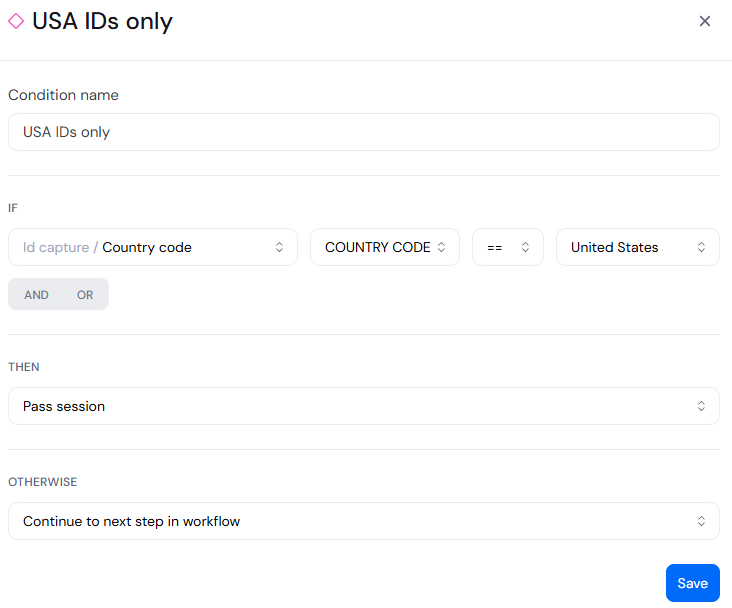
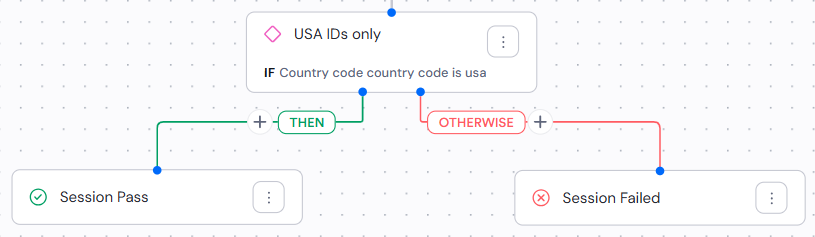
The following images show a simple condition, both in its configuration panel and as it appears on the canvas. In this case, the session passes only if the user presents a document issued by the United States:
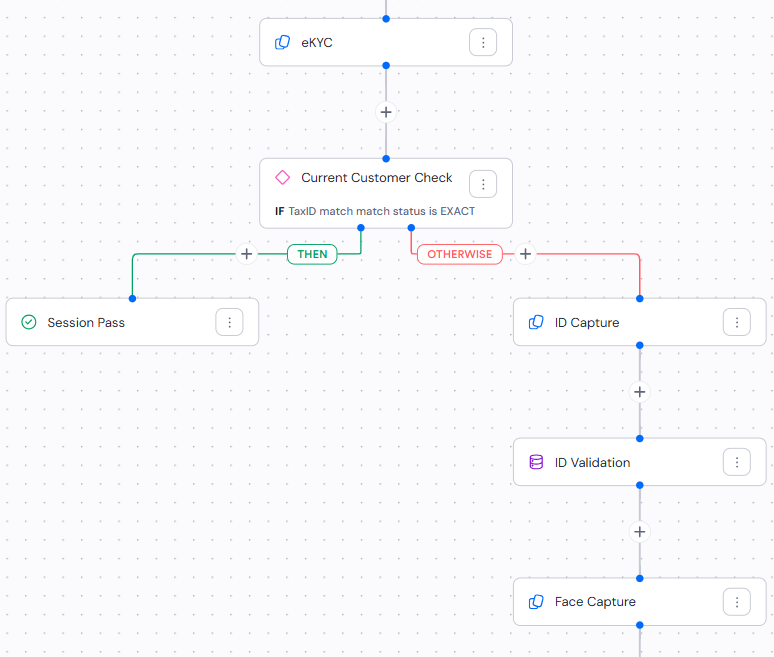
The following image shows a more complex condition. In this case, the user must complete additional steps if their identity cannot be verified using eKYC:
Best Practices
- Keep conditions simple. Instead of creating one complex condition, link multiple simpler conditions in sequence. This makes the Workflow easier to understand and manage, and it makes it easier to see which path the user journey followed.
- Use logical operators deliberately. When you do need
ANDorORto combine rules within a single condition, plan the full expression before adding it to your Workflow so it behaves the way you expect. - Monitor and adjust. Regularly review the performance of your Workflows and adjust conditions based on real outcomes.
- Plan for all outcomes. Ensure every possible path through the Workflow leads to a clear result. Dead ends can confuse users and disrupt the verification process.