The Phone Number Input module collects a user's phone number and can confirm phone ownership by sending a one-time password (OTP) via SMS.
For an overview of this module and how it works, see Phone Number Input.
Supported with:
✅ Workflows | ✅ Flows
Add Phone Number Input to Workflows
- In the left menu. Select Flow Builder > Workflows.
- Click New or select an existing Workflow.
- From the Modules list, drag and drop the Phone Number Input module into the builder.
- You can click the three dots > Edit on the module node to open the Configuration Options panel and adjust settings as needed.
Add Phone Number Input to Flows
- In the left menu. Select Flow Builder > Flows.
- Click New or select an existing Flow.
- On the Select Modules tab, find the Phone Number Input module and click Add.
- You can click Details & Configurations to open the Configuration Options panel and adjust settings as needed.
Configuration Options
After making changes, click Save Configurations to apply them.
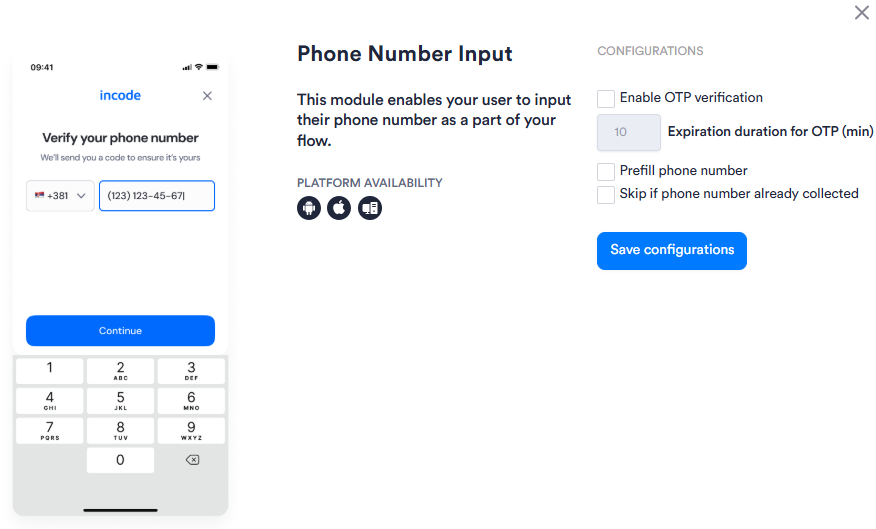
View image of Workflow configuration panel
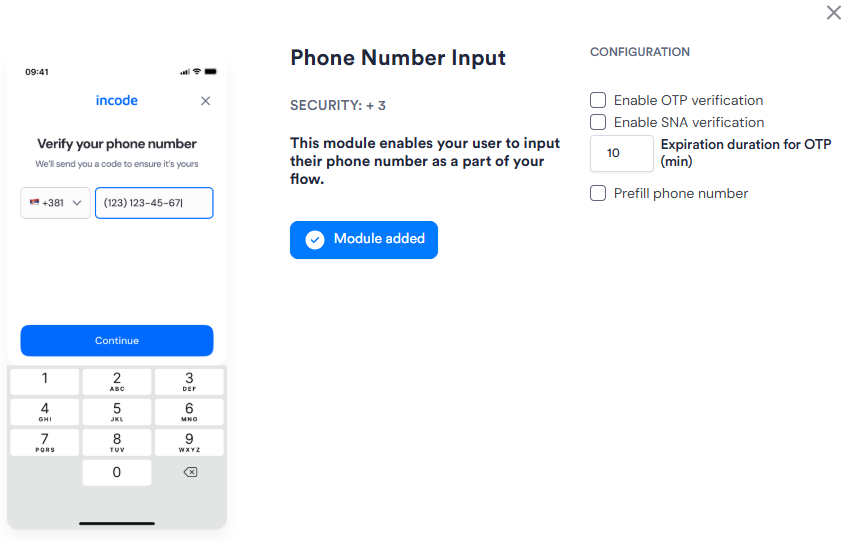
View image of Flow configuration panel
| Setting | Description |
|---|---|
| Enable OTP verification | The user must confirm their phone number by entering a one-time password (OTP) sent via SMS before the module completes. |
| Expiration duration for OTP (min) | The number of minutes an OTP remains valid after it is sent. Default: 10. |
| Enable SNA verification Flows only |
Activates Silent Network Authentication as the primary verification method, with SMS OTP as an automatic fallback when SNA is unavailable. |
| Prefill phone number | Pre-populates the phone number field with a number already associated with the Session. Allows the user to review or edit it before continuing. |
| Skip if phone number already collected Workflows only |
Skips this module if a phone number has already been collected in the Session. |