The Instant BAV module validates a user's bank account information by checking key details such as name, address, account ID, and balance.
For an overview of this module and how it works, see Instant BAV.
Supported with:
❌ Workflows | ✅ Flows
Add Instant BAV to Flows
- In Dashboard, find Build & Verify in the left menu. Select Flow Builder > Flows.
- Click New or select an existing Flow.
- On the Select Modules tab, find the Instant BAV module and click Add.
- You can click Details & Configurations to open the Configuration Options panel and adjust settings as needed.
Configuration Options
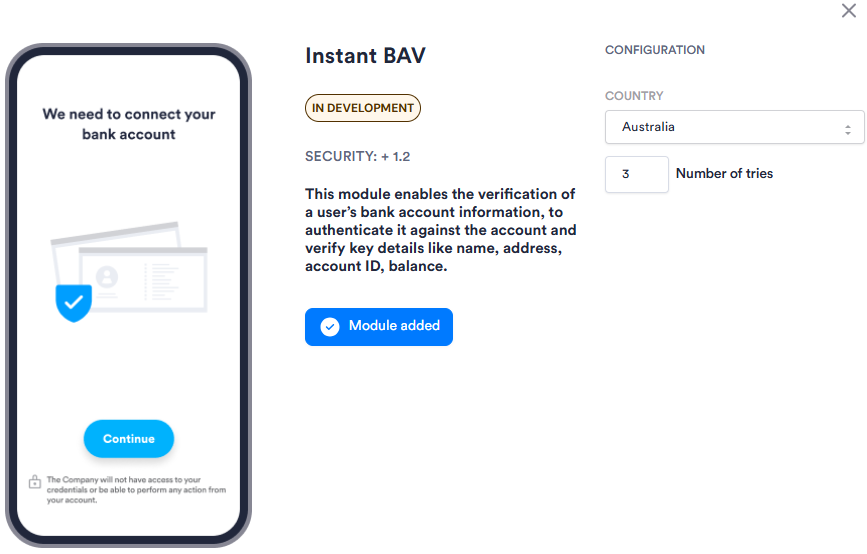
| Setting | Description |
|---|---|
| Country | The country for the bank accounts this module verifies. |
| Number of tries | The maximum number of attempts a user is allowed to complete bank account verification before the session ends. |