The CURP Validation module validates a person's CURP (Clave Única de Registro de Población), a personal identification number issued in Mexico, against Mexico's RENAPO registry. It accepts a CURP extracted via OCR, entered manually, or generated from personal data when the user doesn't know it.
For an overview of this module and how it works, see CURP Validation.
Supported with:
✅ Workflows | ✅ Flows
Add CURP Validation to Workflows
- In Dashboard, find Build & Verify in the left menu. Select Flow Builder > Workflows.
- Click New or select an existing Workflow.
- From the Modules list, drag and drop the CURP Validation module into the builder.
- You can click the three dots > Edit on the module node to open the Configuration Options panel and adjust settings as needed.
Add CURP Validation to Flows
- In Dashboard, find Build & Verify in the left menu. Select Flow Builder > Flows.
- Click New or select an existing Workflow.
- On the Select Modules tab, find the CURP Validation module and click Add.
- You can click Details & Configurations to open the Configuration Options panel and adjust settings as needed.
Configuration Options
After making changes, click Save Configurations to apply them.
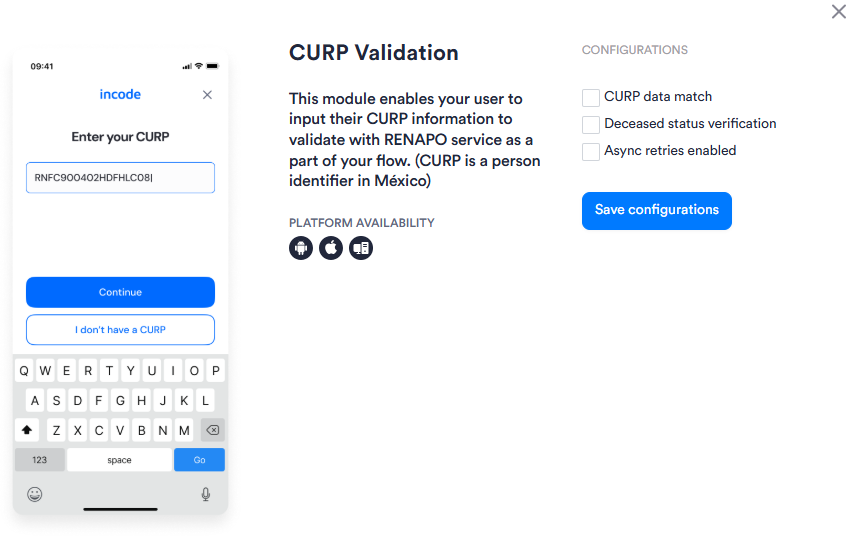
View configuration panel in Workflows
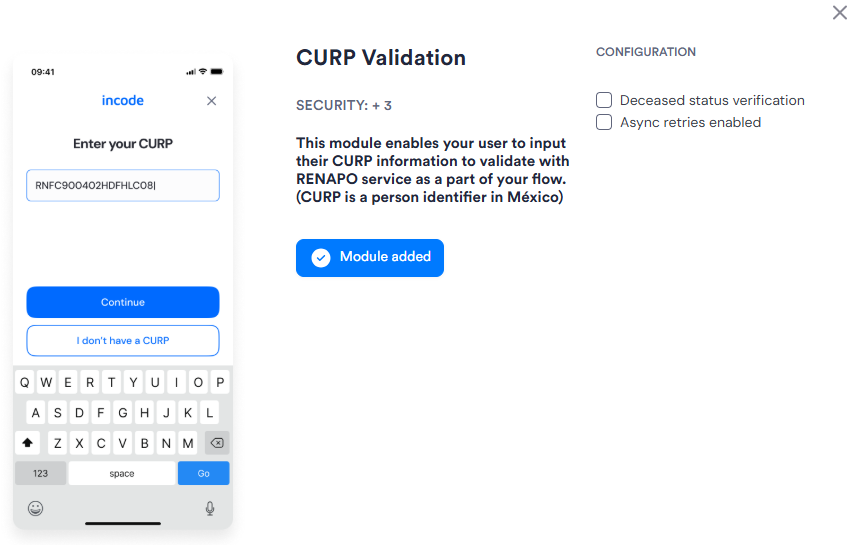
View configuration panel in Flows
| Setting | Description |
|---|---|
| CURP data match Workflows only |
When enabled, validates that the CURP data returned by RENAPO matches the personal data captured earlier in the Session (for example, name and birthdate from ID Capture). |
| Deceased status verification | When enabled, the module checks the RENAPO response for a deceased status and treats a deceased result as a validation failure. |
| Async retries enabled | When enabled, activates asynchronous retry logic if the provider call fails or times out, improving reliability when the primary provider is unavailable. |