In V1, Face Capture offers a basic experience to capture the user’s face, with limited guidance during the process. It focuses on checking the list of conditions that need to be met for a good capture, providing low visual guidance throughout the flow.
In V2, Face Capture guides users step by step. The experience gives live instructions and helps users fix issues as they happen, making the process clearer and easier to complete. It also introduces a cleaner, more modern UI with clearer hierarchy, smoother transitions, and consistent visual patterns.
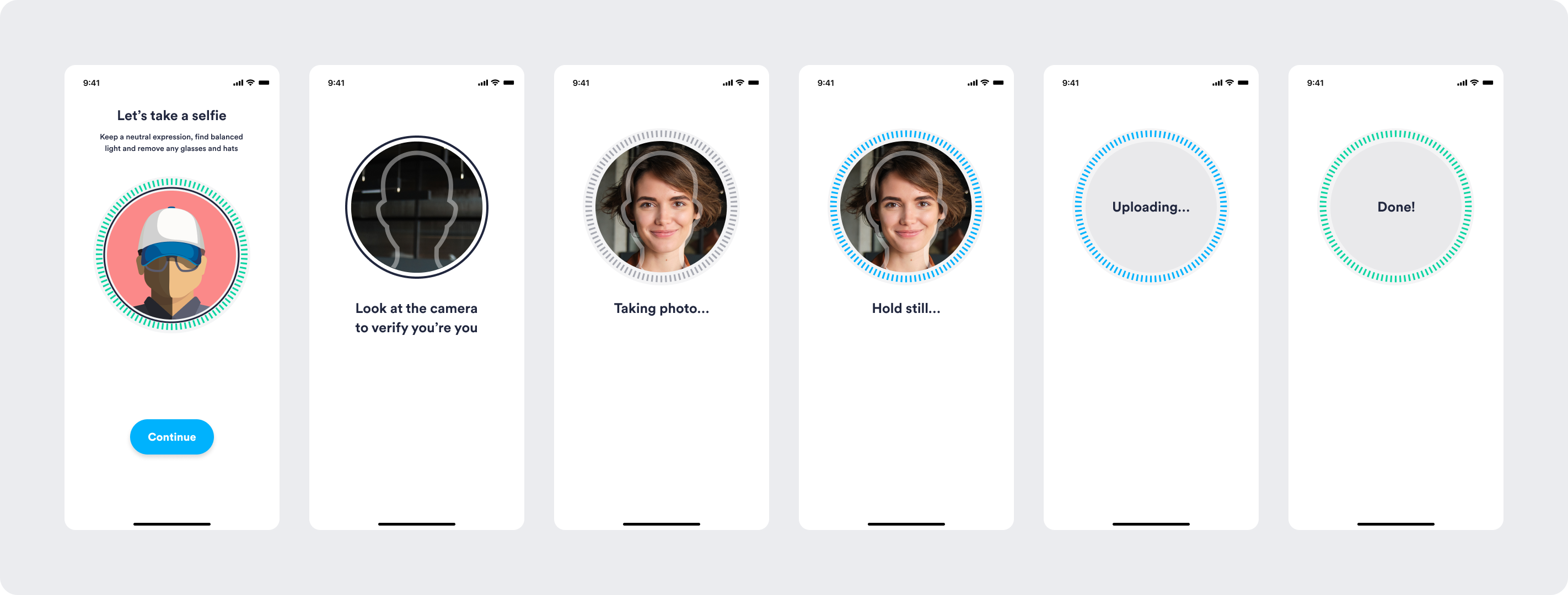
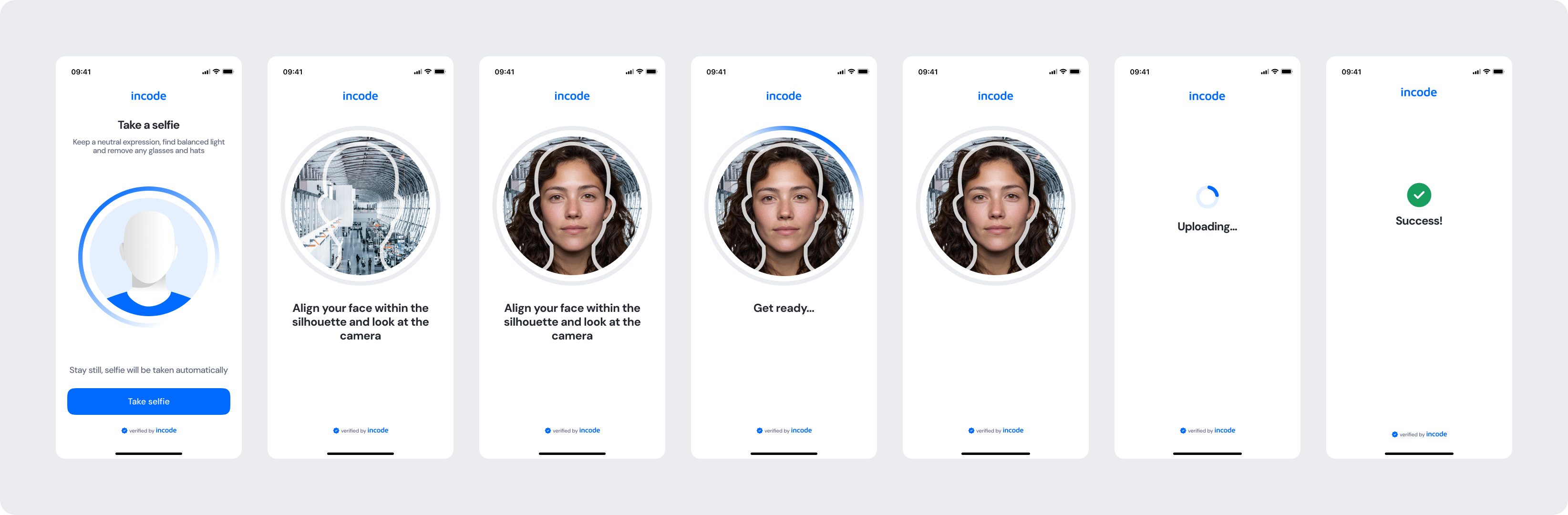
Feature Comparison
Functional capabilities of the module (objective features only; no UX or performance differences).
| Capabilities | V1 | V2 | Notes |
|---|---|---|---|
| Auto-capture | ✅ | ✅ | Both versions capture the image automatically when conditions are met. |
| Capture Condition Checks | ✅ | ✅ | V2 has improved live feedback messages for clarity and understandability. |
| Manual Capture | ✅ | ✅ | V2 provides instructions to the user on how to take the photo. |
| Capture Attempts | ✅ | ✅ | V2 visually differentiates instances with remaining attempts from those with exhausted ones. |
| Error States | ✅ | ✅ | Both versions cover general error cases that users can encounter. |
| Customization options | ❌ | ✅ | V1 provides limited customization options, while V2 allows full control over text, colors, buttons, illustrations, and behavior. |
| Documentation completeness | ❌ | ✅ | V2 provides complete, standardized documentation coverage. |
Behavior Differences
How the module behaves during runtime.
| Behavior | V1 | V2 | Notes |
|---|---|---|---|
| Tutorial behavior | Long step-by-step animation | Straightforward animated tutorial | V2 is intuitive and directs the focus towards the tutorial instructions. |
| Permission flow logic | Immediate native popup is triggered | Pre-permission bottom sheet shown before native popup | When necessary, V2 adds an explanatory step to reduce permission drop-off. |
| Feedback presentation | Brief contextual instructions | Clear, actionable feedback for a successful capture | V2 has updated feedback instructions for users to correct their action faster. |
| State transitions | Default transitions | Specifically designed screen-by-screen transitions for smoothness | V2 includes transition guidelines as part of the module documentation package. |
| Capture experience | Basic capture animations and user guidance | Enhanced contextual overlay and indicative ring | V2 uses an overlay around the silhouette for enhanced positioning guidance when necessary. |
Customization Overview
Customization in V2 is significantly simpler and more consistent across modules.
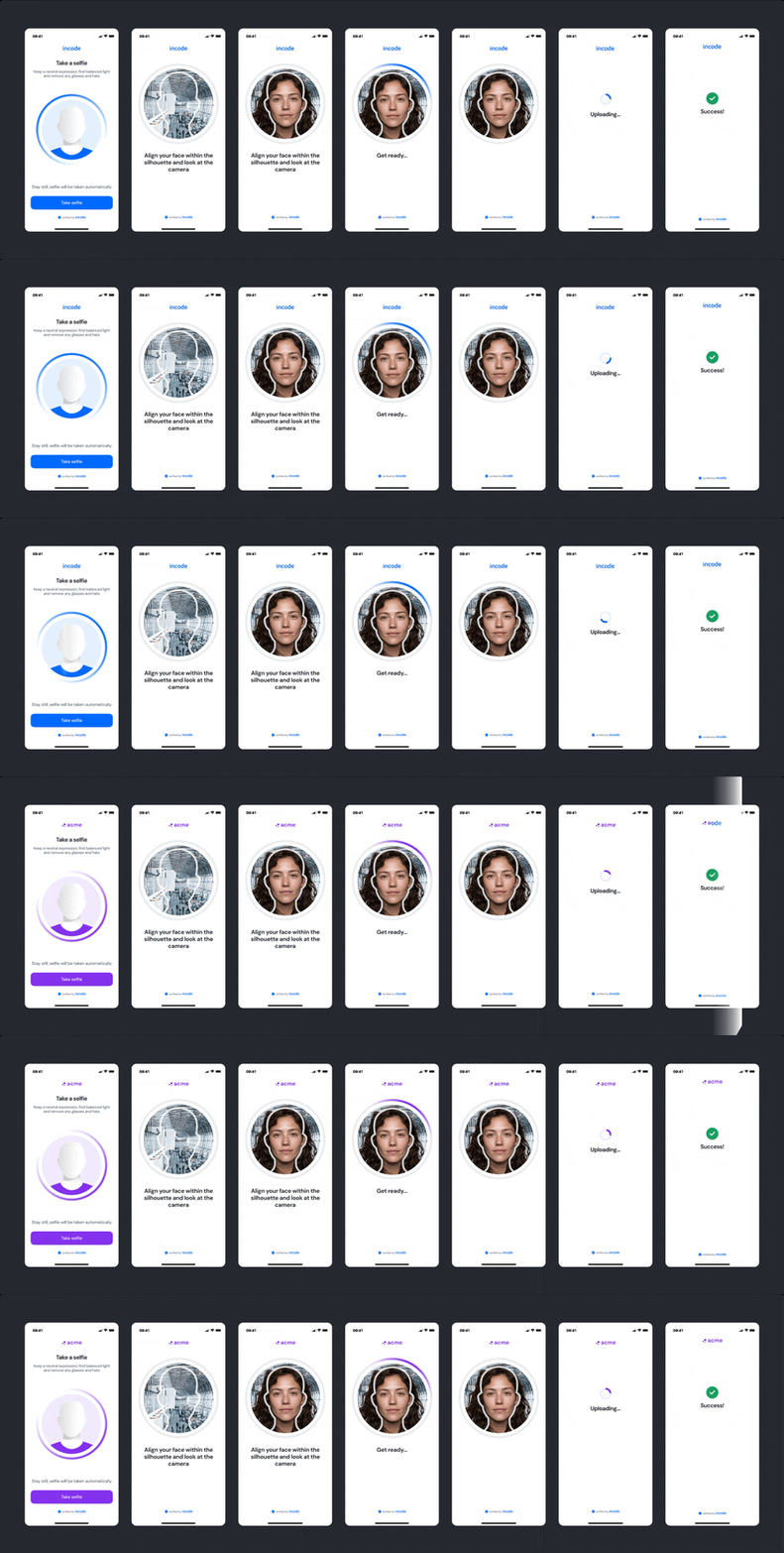
Instead of having isolated configuration options per screen or component, V2 uses a unified token-based system that allows developers to control visuals, behaviors, and experience patterns with fewer parameters and predictable outcomes.
This means:
- Less engineering work to override UI elements
- Consistent branding across modules
- Predictable behavior when changing settings
- Reduced risk of breaking flows
- Clear separation between visual tokens and experience configuration
V2 also centralizes all customization options under a single structure, so developers always know where to look and what they can modify.
For full details, visit the Customization tab of this module.