In V1, Document Capture offers a basic experience for the user to capture or upload the document. The camera view has a document overlay for the user to use as a guide, but it may not reflect exactly the format that the user needs to upload. Guidance is limited, and tutorials can sometimes become redundant to users. Customization and behavior can vary.
In V2, Document Capture has refined tutorials that clearly communicate to users what’s expected to complete the process. The camera view has a larger frame without any overlay so the user doesn’t have any distractions. Common issues screens was also refined for clarity, among other steps from the experience that have been reviewed and improved. The UI is cleaner, transitions are smoother, and customization follows a unified UXv2 system, making the flow more predictable and easier to complete.
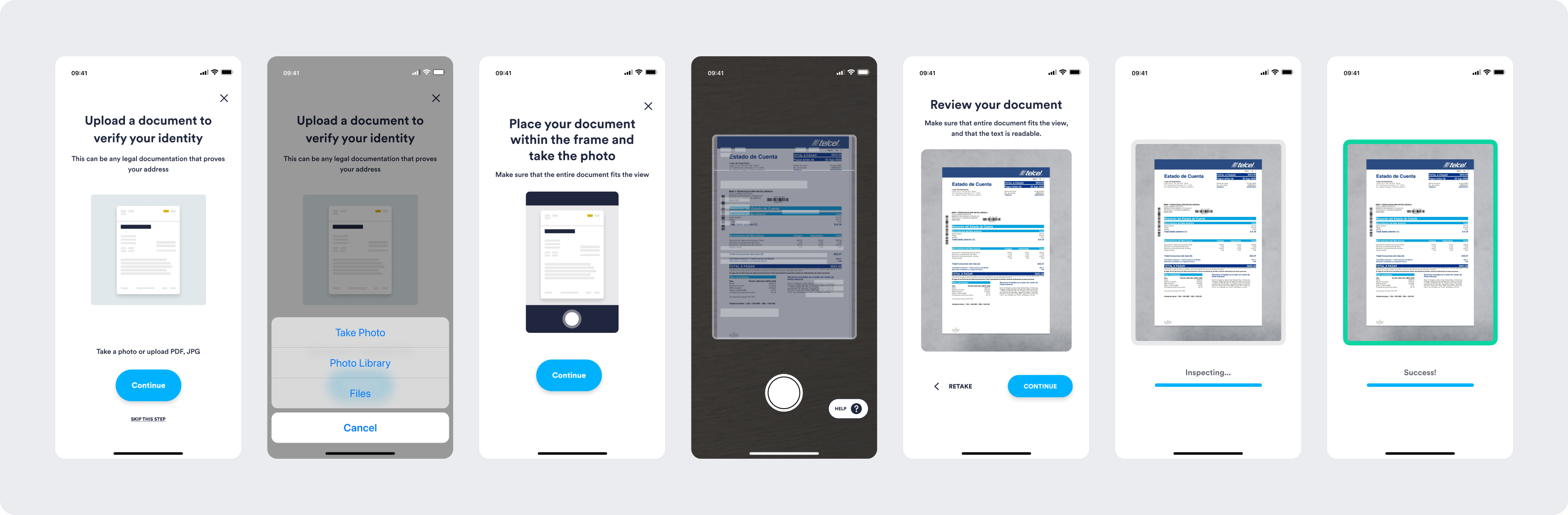
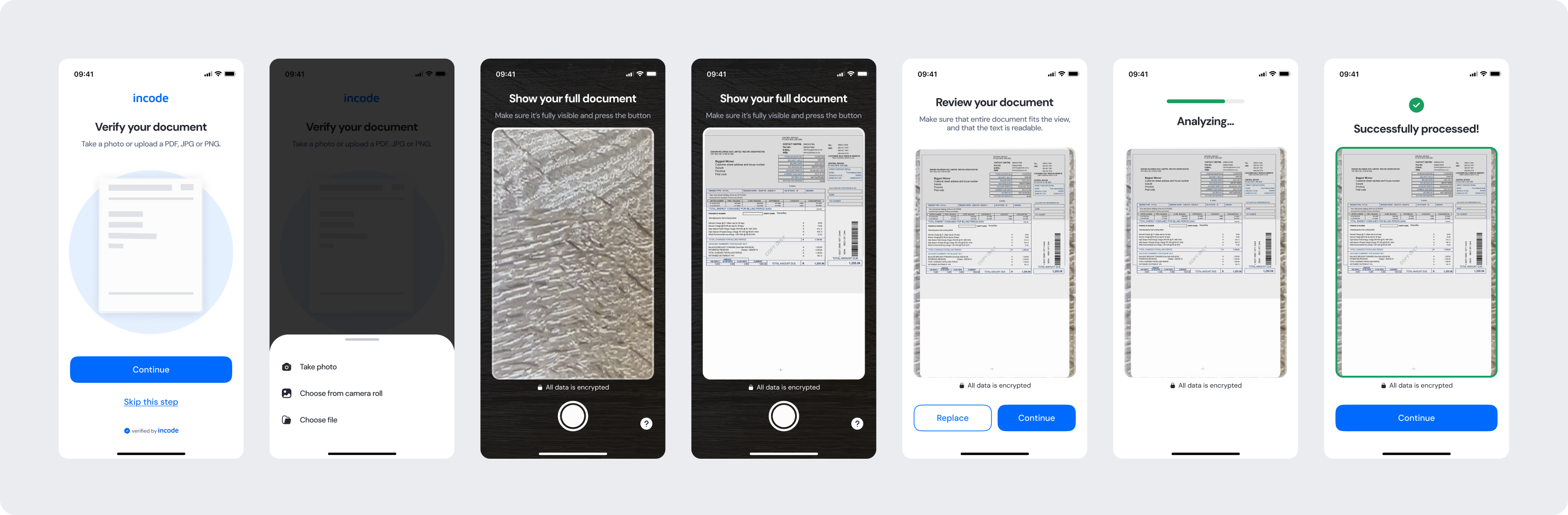
Feature Comparison
Functional capabilities of the module (objective features only; no UX or performance differences).
| Capabilities | V1 | V2 | Notes |
|---|---|---|---|
| Manually capture document | ✅ | ✅ | V2 has a larger capture frame, and introduced instructions to the capture screen for clarity. |
| Upload methods supported | ✅ | ✅ | Both versions allow the user to choose the upload method and they can be configured. |
| Common Issues | ✅ | ✅ | V2 refined the issues displayed and the content for clarity, so users can get a good capture. |
| Dedicated second page tutorial | ❌ | ✅ | V2 has a dedicated tutorial for cases where the user may need to capture following pages. |
| Error States | ✅ | ✅ | Both versions cover general error cases that users can encounter. |
| Customization options | ❌ | ✅ | V1 provides limited customization options, while V2 allows full control over text, colors, buttons, illustrations, and behavior. |
| Documentation completeness | ❌ | ✅ | V2 provides complete, standardized documentation coverage. |
Behavior Differences
How the module behaves during runtime.
| Behavior | V1 | V2 | Notes |
|---|---|---|---|
| Tutorial behavior | Basic visual of standard document layout | Straightforward and minimal tutorial | V2 is intuitive and directs the focus towards the tutorial instructions. |
| Multi-page capturing | It repeats the full module unchanged to capture a second page | Dedicated tutorials for the capture of consecutive pages | V2 features dedicated screens for capturing consecutive pages, complete with tutorials for both optional and mandatory steps. |
| State transitions | Default transitions | Specifically designed screen-by-screen transitions for smoothness | V2 includes transition guidelines as part of the module documentation package. |
| Capture experience | Native camera experience | Custom camera view with instructions and common issues | V2 uses a custom camera experience with instruction text, an overlay for positioning guidance, and access to a help section for better capture. |
Customization Overview
Customization in V2 is significantly simpler and more consistent across modules.
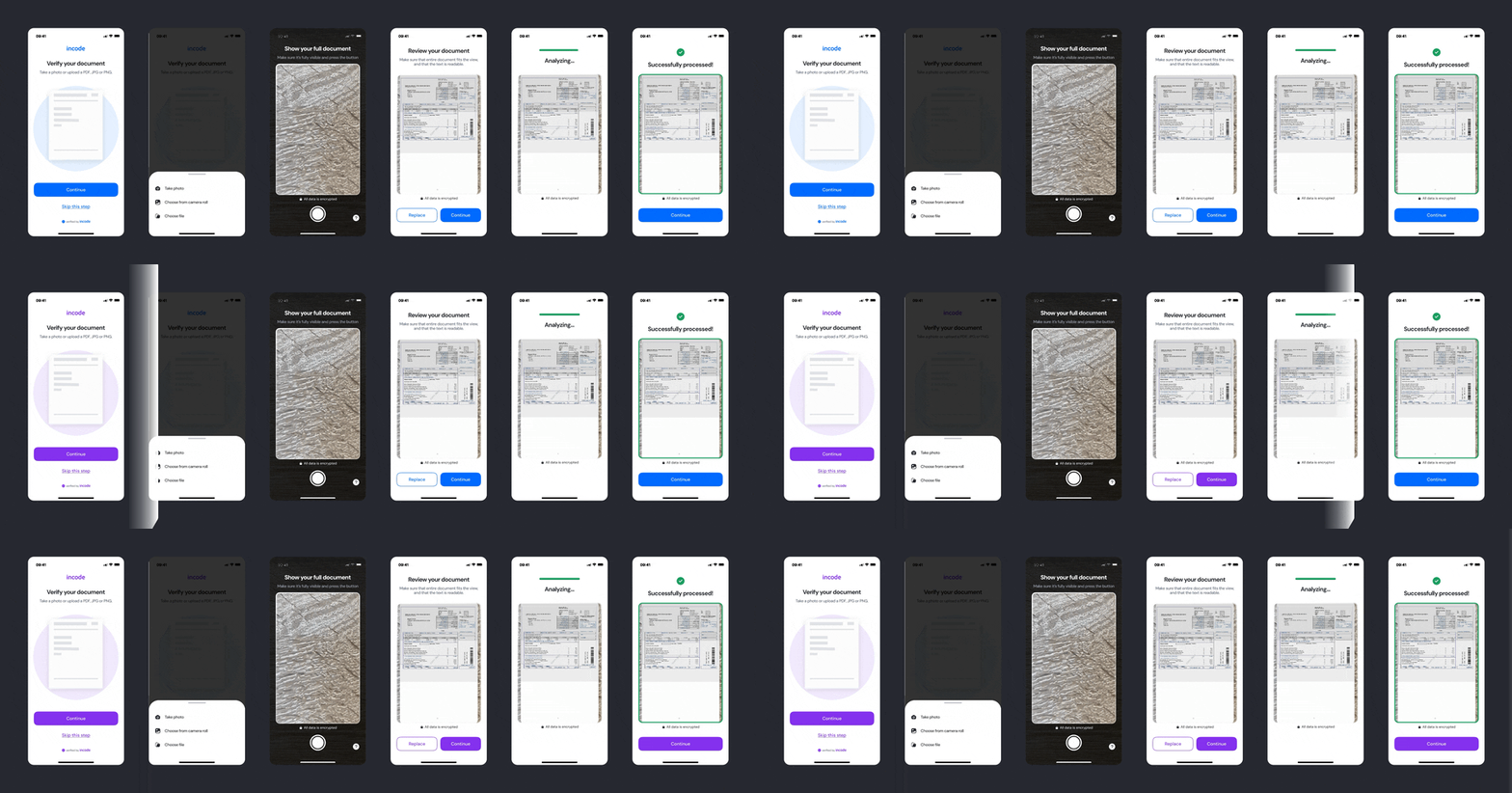
Instead of having isolated configuration options per screen or component, V2 uses a unified token-based system that allows developers to control visuals, behaviors, and experience patterns with fewer parameters and predictable outcomes.
This means:
- Less engineering work to override UI elements
- Consistent branding across modules
- Predictable behavior when changing settings
- Reduced risk of breaking flows
- Clear separation between visual tokens and experience configuration
V2 also centralizes all customization options under a single structure, so developers always know where to look and what they can modify.
For full details, visit the Customization tab of this module.