Document Capture allows users to upload or capture supporting documents during the verification flow, such as proof of address, bank statements, utility bills, or other required documentation. The module guides users to provide a clear and complete image of the document, ensuring all relevant information is visible and readable before submission.
Document Capture typically occurs after ID and Selfie Capture, and before the final verification result.
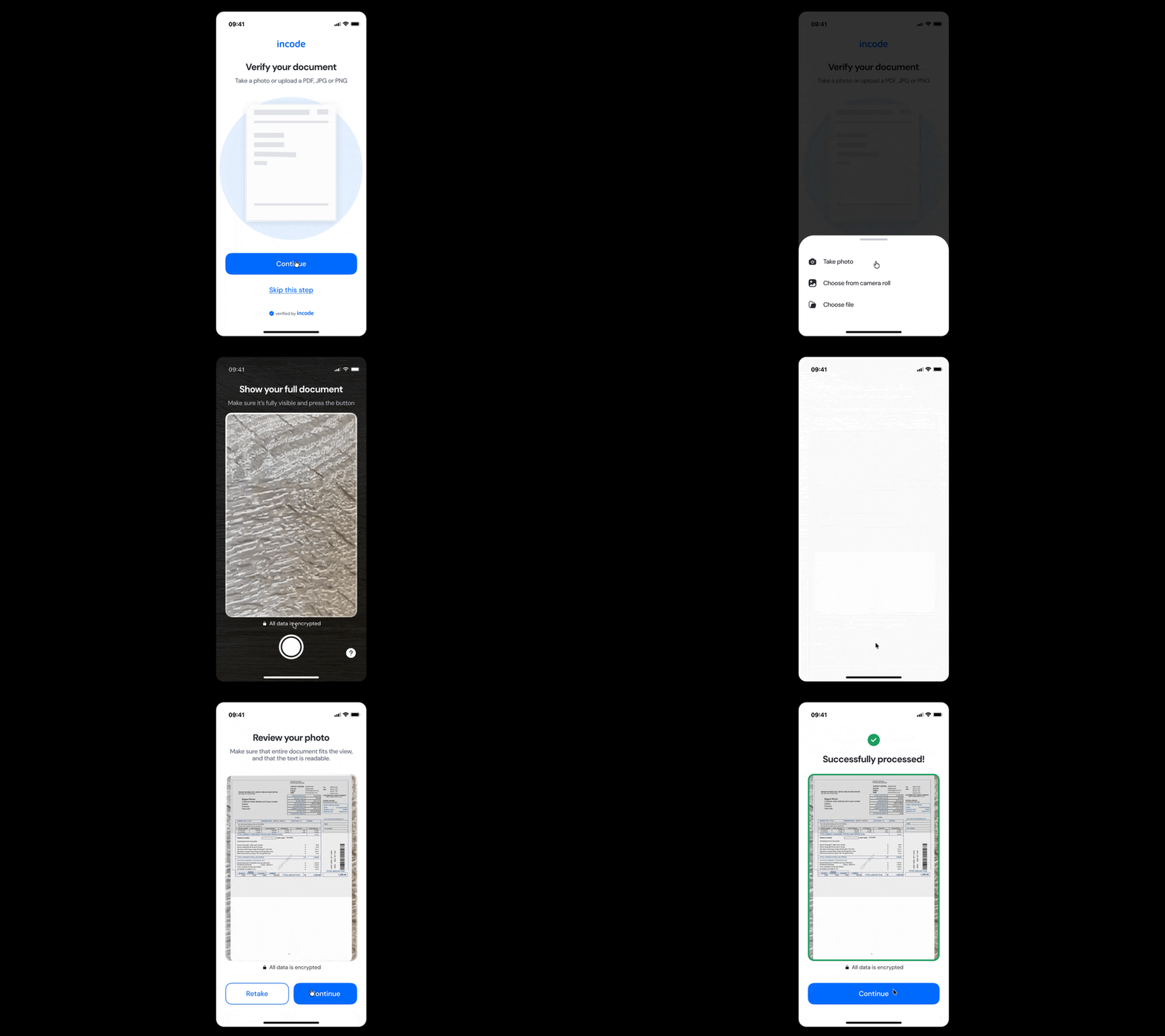
Where it fits in the flow
Document Capture usually appears after the ID Capture and Selfie Capture flows have been completed.
Once identity verification steps are completed, the flow continues to Document Capture, where users are asked to upload or capture supporting documentation such as proof of address, bank statements, utility bills, or other required documents before proceeding to any remaining verification logic.
User Flow
The Document Capture module guides users through uploading or capturing supporting documentation. Depending on the integration, users may upload an existing file or capture the document directly using their device camera.
During this step, the system helps users ensure the document is fully visible, readable, and correctly framed before submission. Once the document is provided, users either continue the verification flow seamlessly or receive specific feedback to help them correct any issues and successfully resubmit their document.
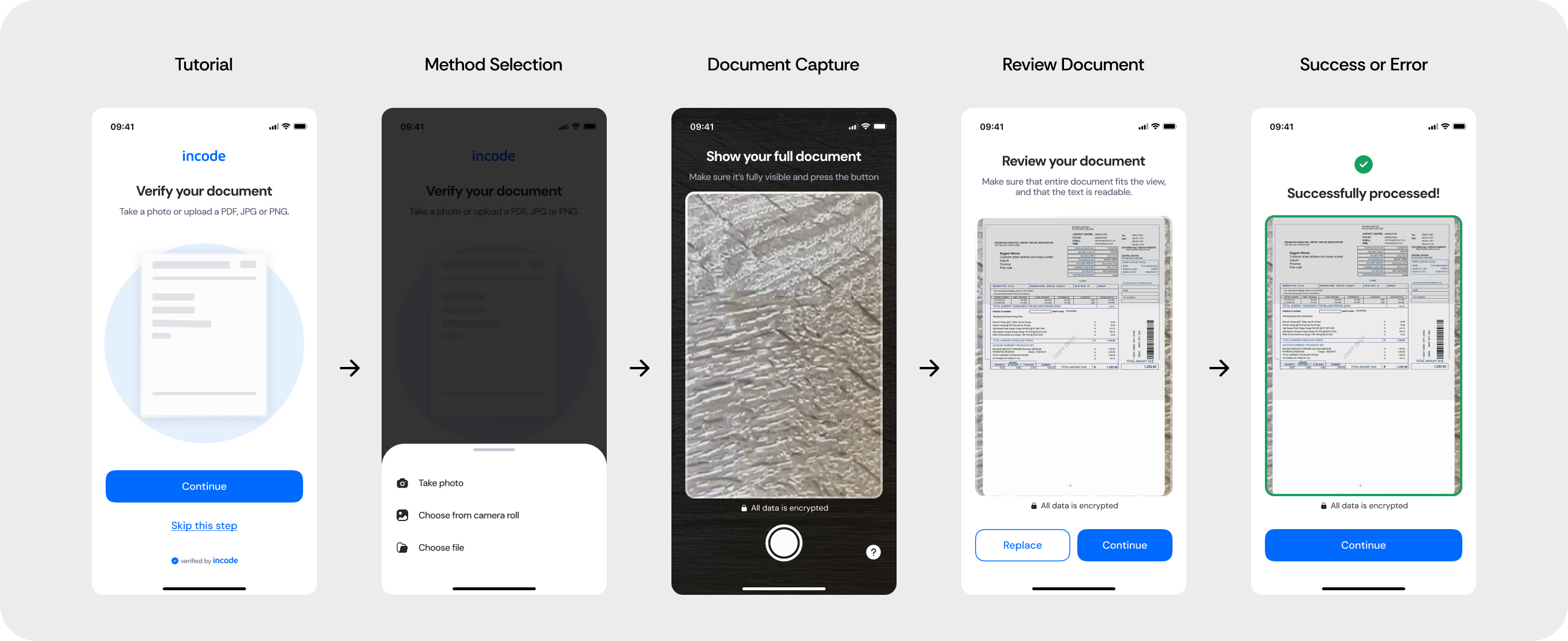
Full Flow Map
This diagram presents the full sequence of screens involved in Document Capture, from document upload or camera capture, to document validation, processing, feedback, and final submission.
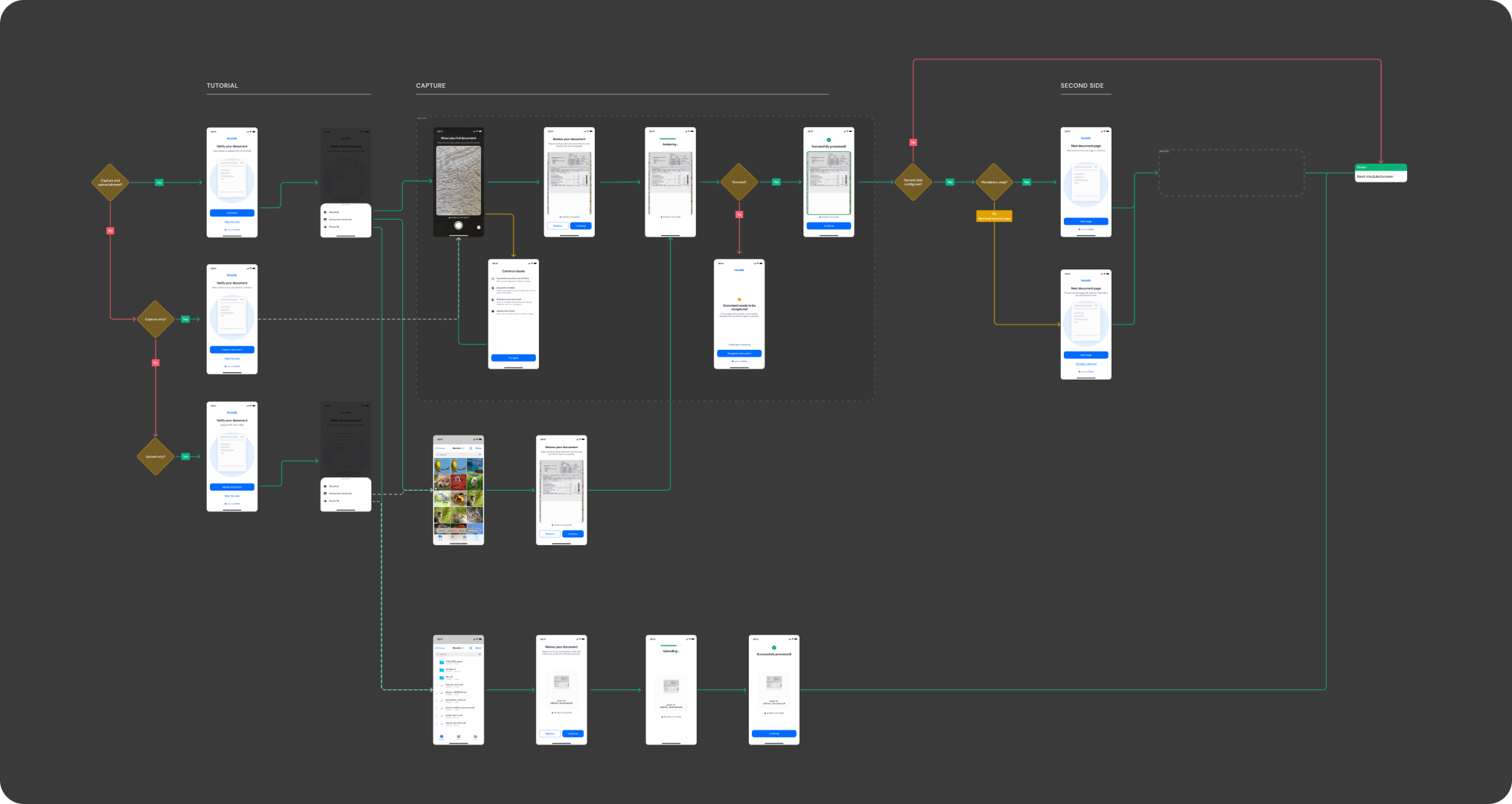
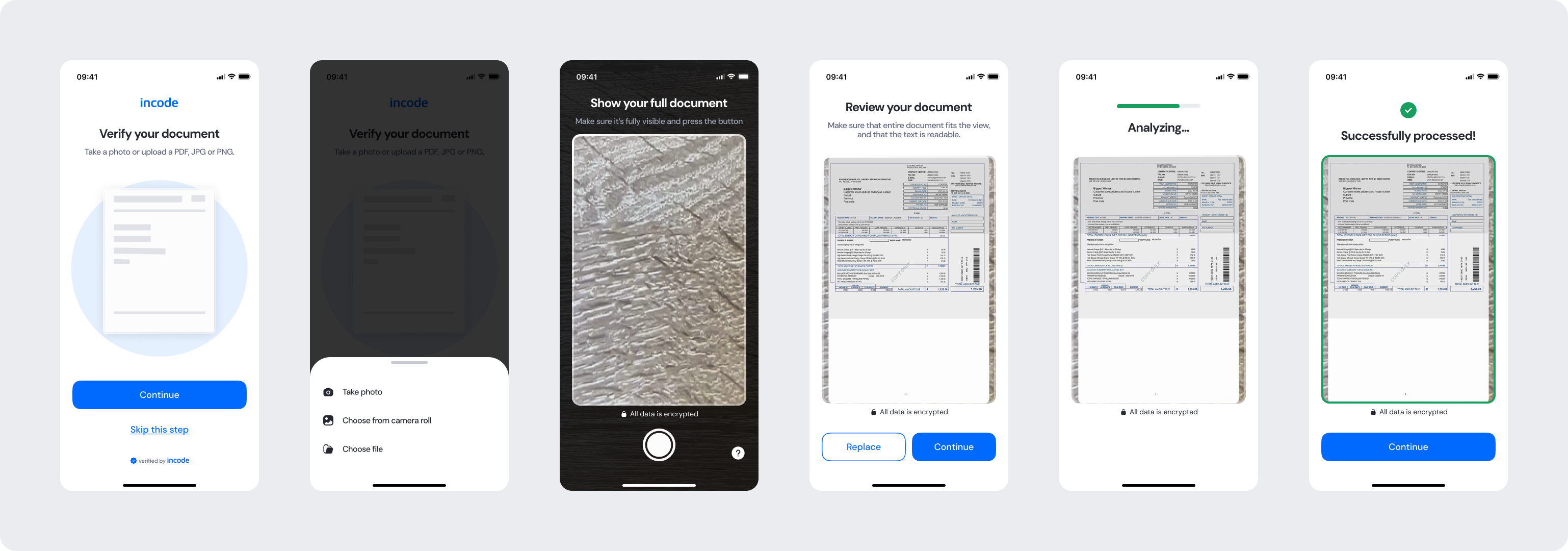
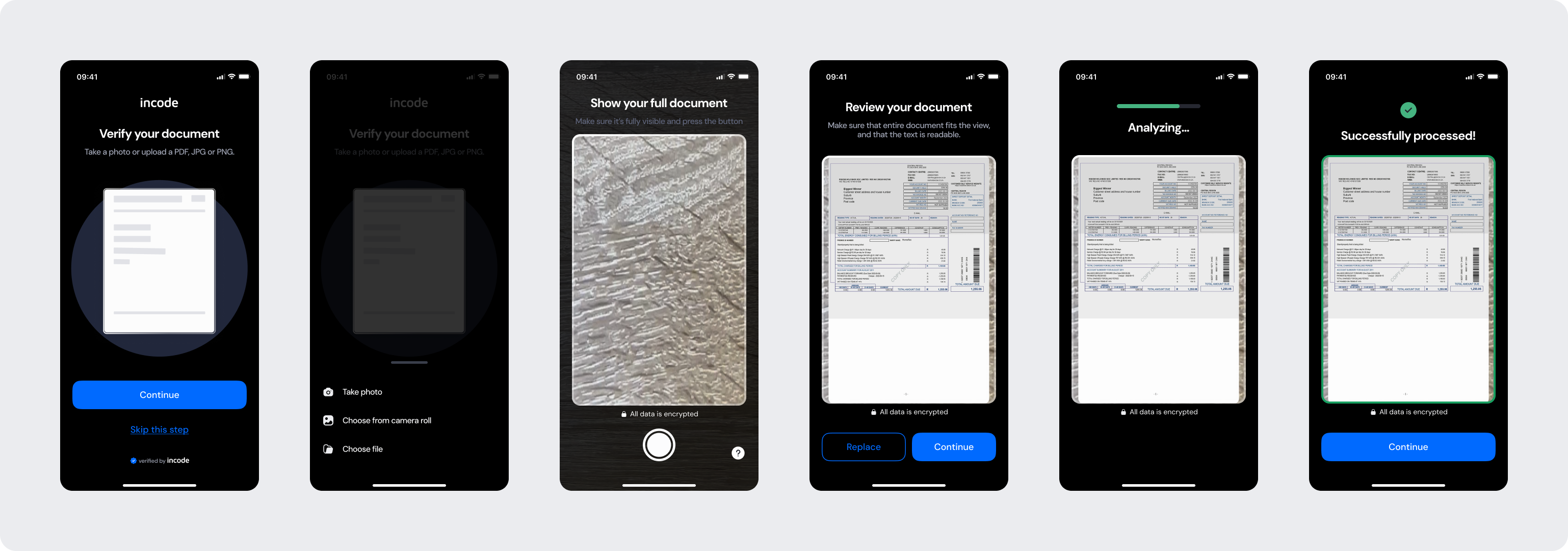
Happy Path (Light & Dark)
The ideal user journey when the document is captured successfully with no interruptions.
The happy path represents the smoothest version of the experience, where the user selects the upload method, captures the file, follows the guidance provided, and submits a clear, readable, and fully visible document without requiring retries or corrections. Both light and dark mode previews are included so teams can validate visual consistency across themes.
Best Practices
Recommended guidelines for designing and implementing the Document Capture experience.
✅ Do
Keep instructions short and easy to understand.
Provide clear guidance for framing and positioning the document correctly.
Allow users to retry whenever a capture or upload fails.
Support both upload and camera capture flows consistently when applicable.
❌ Don’t
Don’t rely solely on color to communicate status or feedback.
Don’t crop, obscure, or cover important document information.
Don’t skip or reduce essential error and validation states.