In V1, Data Sharing Consent provides a basic consent experience focused on collecting user authorization before continuing. The screen presents essential legal links, a consent checkbox, and a primary action, with limited context about how personal and biometric information will be used.
In V2, Data Sharing Consent introduces a more transparent and informative experience. Users are provided with detailed information about the data being collected, how it will be used, and why consent is required before proceeding. The updated design improves readability, strengthens trust, and provides a clearer path to informed consent through better content hierarchy, branding, and interaction states.
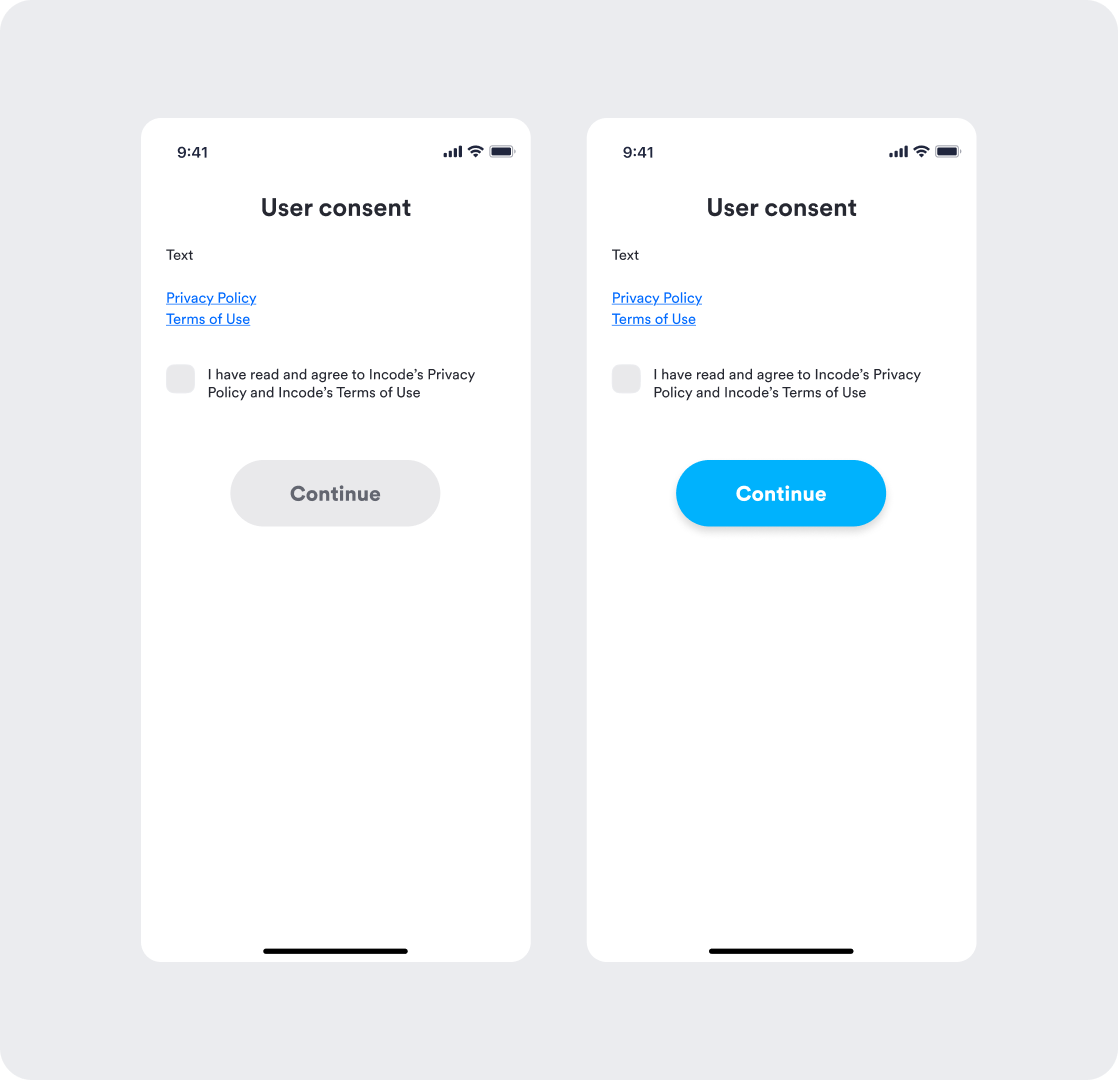
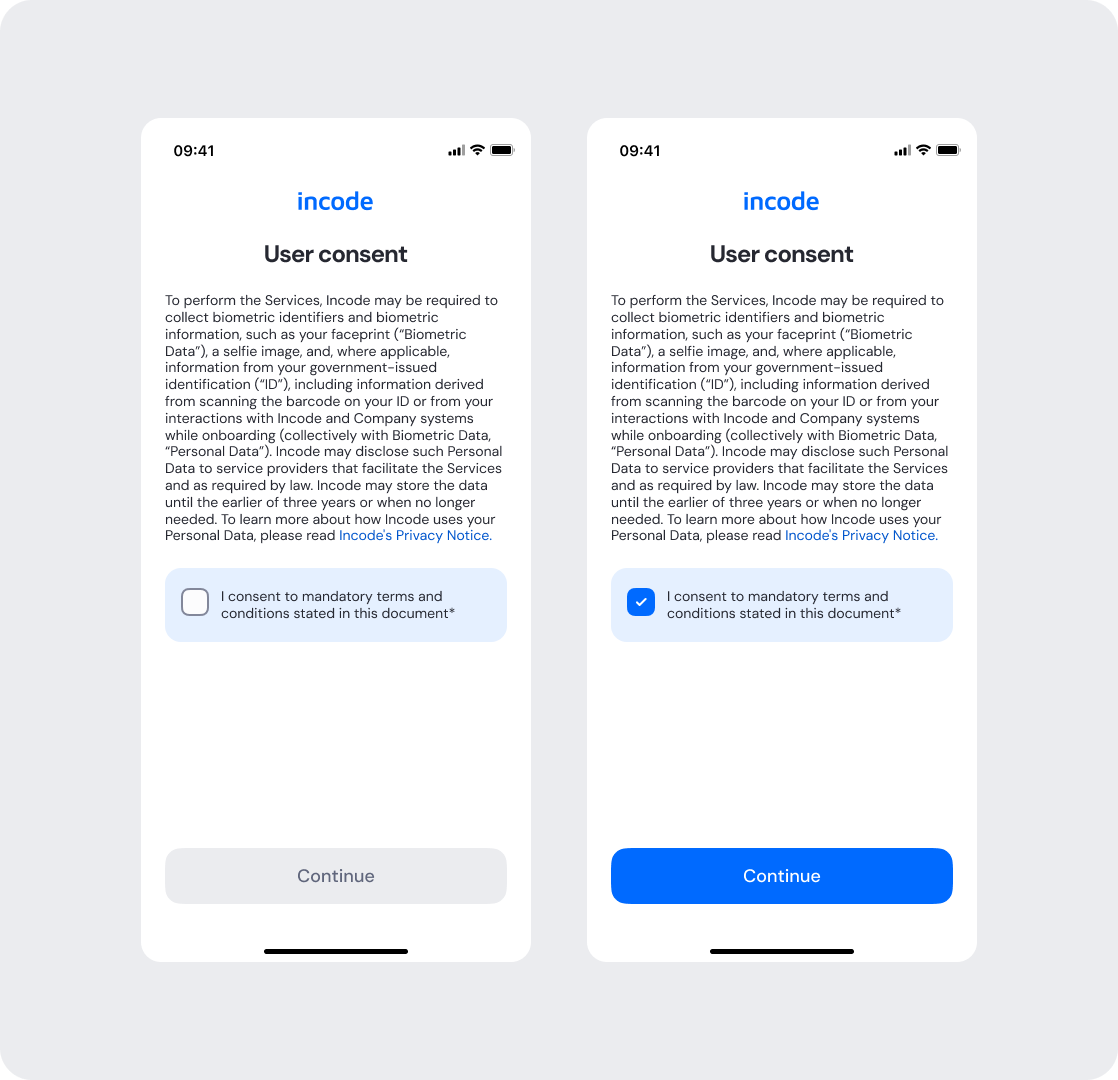
Feature Comparison
Functional capabilities of the module (objective features only; no UX or performance differences).
| Capabilities | V1 | V2 | Notes |
|---|---|---|---|
| Consent collection | ✅ | ✅ | Both versions allow users to provide explicit consent before continuing. |
| Consent checkbox validation | ✅ | ✅ | Users must acknowledge consent requirements before proceeding. |
| Legal links | ✅ | ✅ | Both versions provide access to Privacy Policy and Terms of Use. |
| Customization options | ❌ | ✅ | V2 provides extensive customization for text, colors, buttons, and consent surfaces. |
| Documentation completeness | ❌ | ✅ | V2 includes complete specifications, guidelines, and customization documentation. |
Behavior Differences
How the module behaves during runtime.
| Behavior | V1 | V2 | Notes |
|---|---|---|---|
| Consent presentation | Minimal legal agreement | Detailed consent disclosure | V2 provides additional context before consent is granted. |
| Information hierarchy | Basic | Structured content hierarchy | V2 improves readability and comprehension. |
| Consent state visibility | Limited visual distinction | Clear enabled and disabled states | V2 makes completion requirements easier to understand. |
| Branding integration | Limited | Fully tokenized | V2 follows the standardized design system. |
| Content transparency | Basic | Expanded disclosure content | V2 provides greater visibility into data collection and usage. |
| State transitions | Default transitions | Designed transitions | V2 includes documented transition behavior and interaction guidelines. |
Customization Overview
Customization in V2 is significantly simpler and more consistent across modules.
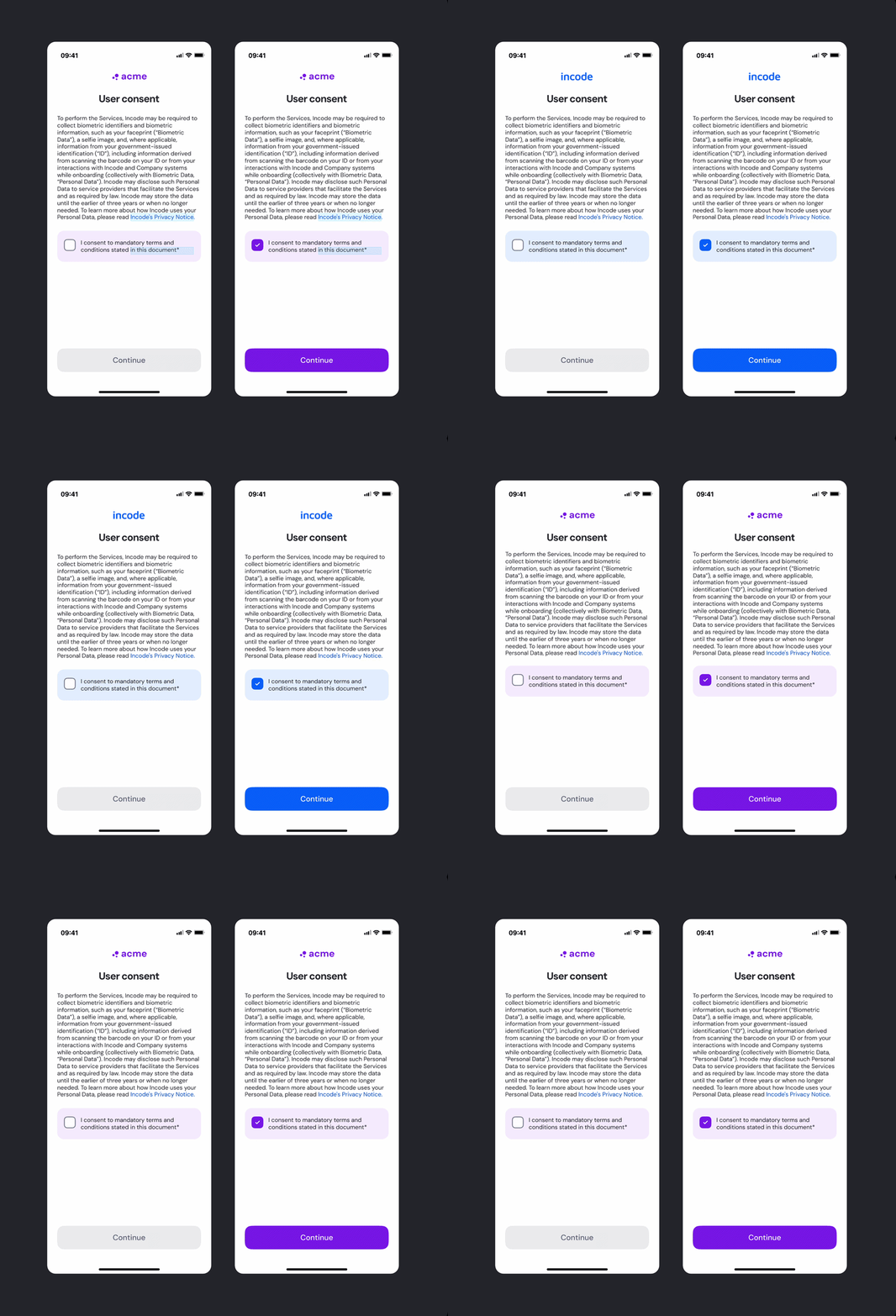
Instead of having isolated configuration options per screen or component, V2 uses a unified token-based system that allows developers to control visuals, behaviors, and experience patterns with fewer parameters and predictable outcomes.
This means:
- Less engineering work to override UI elements
- Consistent branding across modules
- Predictable behavior when changing settings
- Reduced risk of breaking flows
- Clear separation between visual tokens and experience configuration
V2 also centralizes all customization options under a single structure, so developers always know where to look and what they can modify.