The Advanced Electronic Signature module shows the user documents to sign, collects their consent, and captures a certificate-backed electronic signature. That digital certificate verifies their identity, making the signed document legally binding and compliant.
For an overview of this module and how it works, see Advanced Electronic Signature.
Supported with:
✅ Workflows | ✅ Flows
Add Advanced Electronic Signature to Workflows
- In the left menu, click Flow Builder > Workflows.
- Click New or select an existing Workflow.
- From the Modules list, drag and drop the Electronic signature - Advanced module into the builder.
- You can click the three dots > Edit on the module node to open the Configuration Options panel and adjust settings as needed.
Add Advanced Electronic Signature to Flows
- In the left menu, click Flow Builder > Flows.
- Click New or select an existing Flow.
- On the Select Modules tab, find the Electronic signature - Advanced module and click Add.
- You can click Details & Configurations to open the Configuration Options panel and adjust settings as needed.
Configuration Options
This section details all the configuration options available for this module. After changing anything, click Save configurations before closing the configuration panel.
The options you see in your configuration may differ from those documented below. Contact your Incode representative for more information.
Expand to view Workflows Configuration
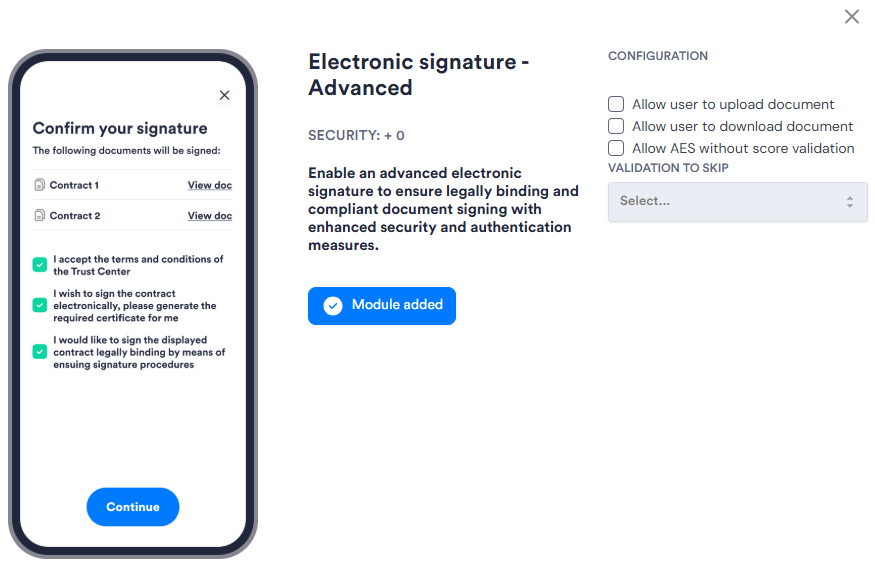
Expand to view Flows Configuration
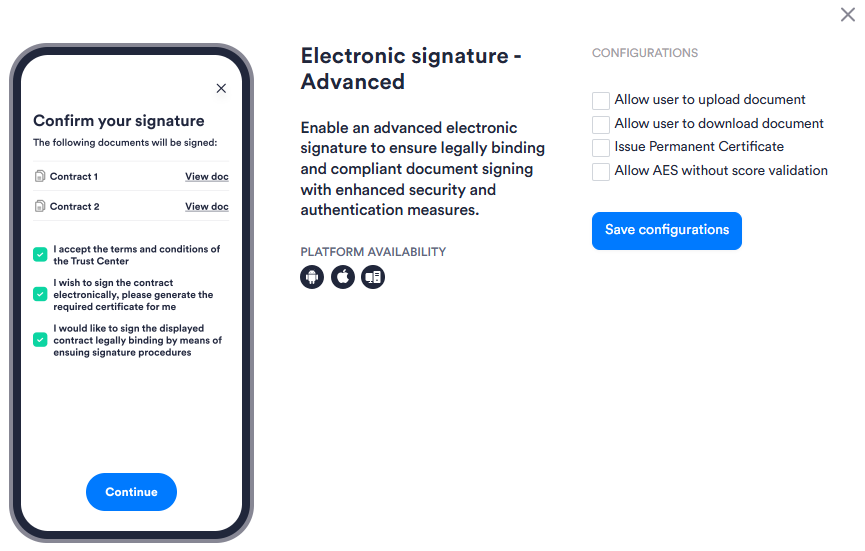
| Setting | Description |
|---|---|
| Allow user to upload document | Allows the user to upload the document they want signed instead of using a document preconfigured in the session. |
| Allow user to download document | Allows the user to download the signed document. |
| Issue Permanent Certificate Workflows only |
Issues a permanent digital certificate for the signing event. |
| Allow AES without score validation | Allows the advanced electronic signature to be completed without requiring a minimum identity verification score. Use this when you want to permit signing regardless of the user's verification result. |
| Validation to skip Flows only |
Lets you disable specific verification requirements before signing is allowed. |