Trust Graph is a network-powered intelligence layer that detects and prevents fraud by evaluating the trustworthiness of users in real time. It aggregates risk signals such as biometric reuse, devices, and behavioral anomalies across a global network of customers. The product delivers real-time trust scores and fraud signals to identify repeat fraud, reduce false positives, and accelerate onboarding while preserving user privacy through fully anonymized insights. You can also contribute confirmed fraud cases back to the network using the Report Fraud feature, strengthening detection across the ecosystem.
This guide shows how integrating Trust Graph enhances fraud defenses and streamlines trust verification across identity, device, document, and behavioral risk signals without added friction.
Integration
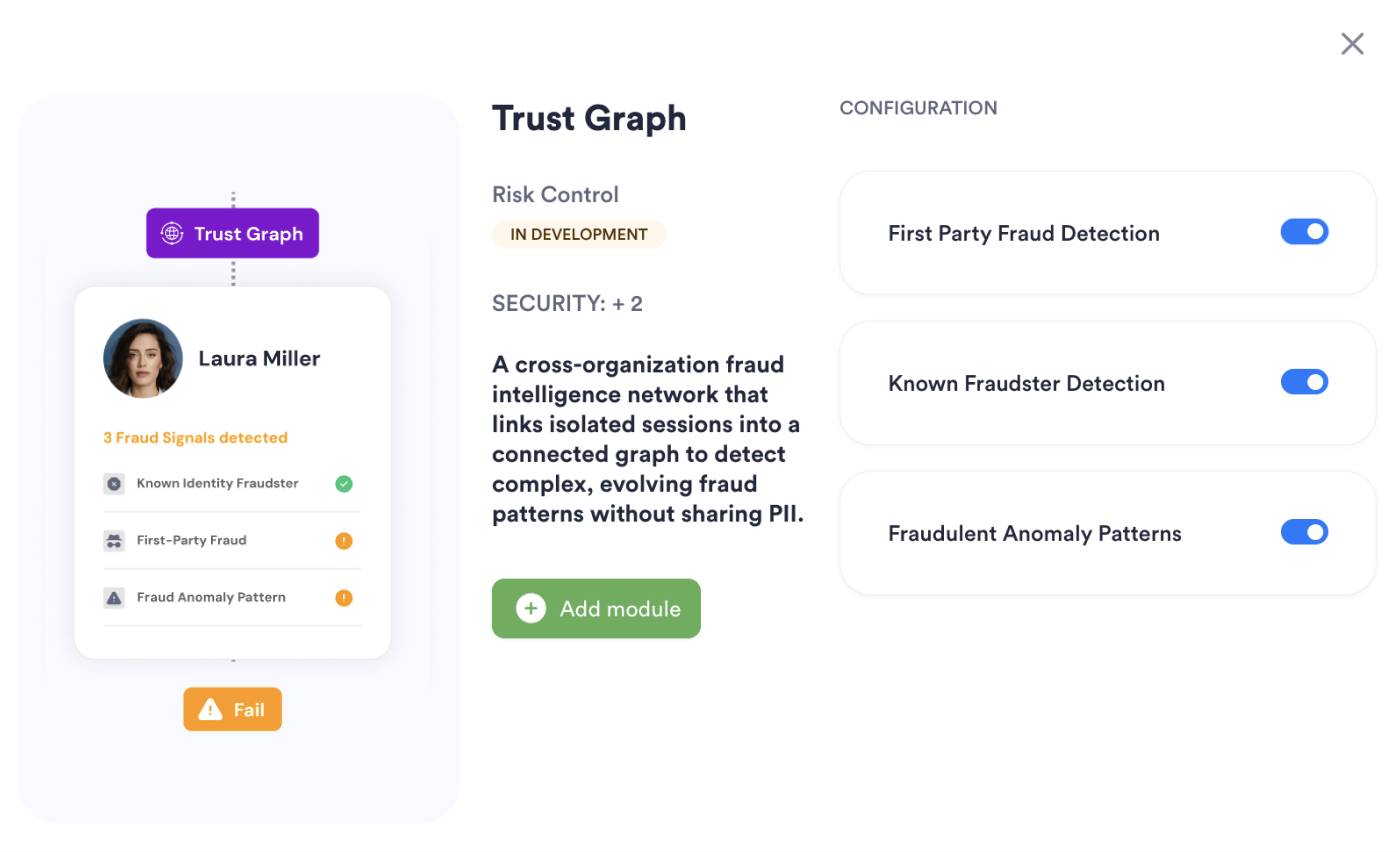
Module configuration allows you to enable Trust Graph as an additional offering in tandem with ID Capture and Face Capture modules.
Module Configuration
Custom Rules
Trust Graph results can be used in conditions to impact further user journey or session result:
- Trust Graph Risk Status; The search match status returned as one of: 'LOW', 'MEDIUM', 'HIGH'

Single Session Dashboard Results
They are available on Single Session view under Trust Graph tab
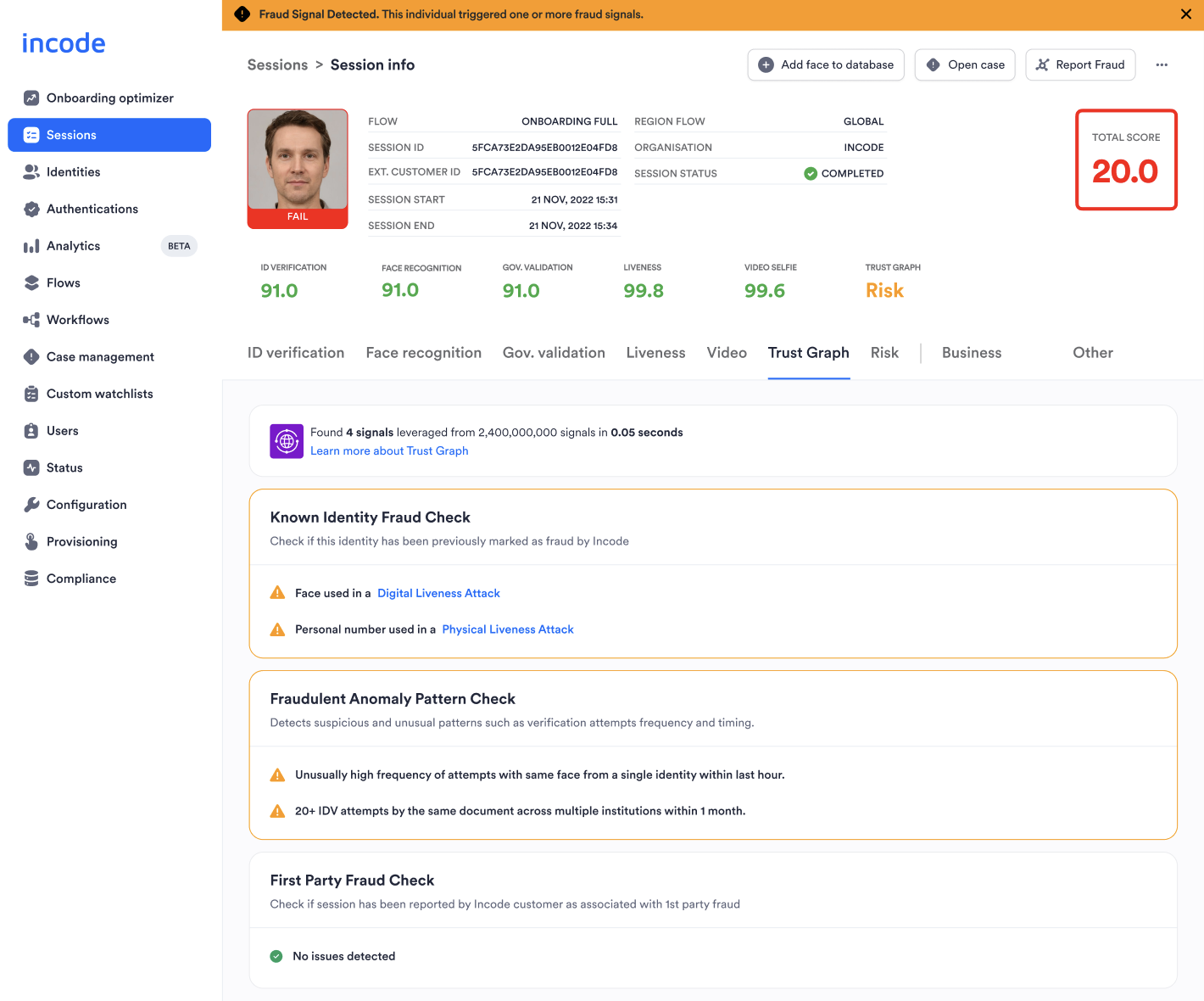
- Known Identity Fraudster: Identities that have been previously confirmed as fraudulent within the network
- First Party Fraud Check: Identities that have been reported as fraudsters by other Incode customers
- Fraudulent Anomaly Pattern Check: Flags suspicious patterns like high device or location velocity that deviate from typical usage, suggesting potential fraud or misuse.
Reasons you can gather from each of these categories:
  <th>
    First Party Fraud
  </th>

  <th>
    Fraudulent Anomaly Patterns
  </th>
</tr>
  <td>
    Deceptive Personal Details Submitted
  </td>

  <td>
    Face is associated to different personal numbers, voter number, and document number within Incode network
  </td>
</tr>

<tr>
  <td>
    Face on ID confirmed as fraud due to ___
  </td>

  <td>
    1st Party Document Tampering
  </td>

  <td>
    Document number is associated to multiple faces (either selfie or on ID) within Incode
  </td>
</tr>

<tr>
  <td>
    Device Hash confirmed as fraud due to ___
  </td>

  <td>
    Loan Payment Avoidance
  </td>

  <td>
    Face on ID is associated to different personal numbers, voter number, and document number within Incode network
  </td>
</tr>

<tr>
  <td>
    Document Number confirmed as fraud due to ___
  </td>

  <td>
    Charge Payment Avoidance
  </td>

  <td>
    Voter number is associated to multiple faces (either selfie or on ID) within Incode network
  </td>
</tr>

<tr>
  <td>
    Personal Number confirmed as fraud due to ___
  </td>

  <td>
    Credit Abuse
  </td>

  <td>
    Personal number is associated to multiple faces (either selfie or on ID) within Incode network
  </td>
</tr>

<tr>
  <td>
    Voter Number confirmed as fraud due to ___
  </td>

  <td>
    Rewards Based Abuse
  </td>

  <td>
    In the last 48 hours, we’ve seen this device hash, document number, face, face on ID, personal number, and/or voter number __ times
  </td>
</tr>

<tr>
  <td>

  </td>

  <td>
    Service Access Abuse
  </td>

  <td>

  </td>
</tr>

<tr>
  <td>
    ___ is either Digital Liveness Attack, Evasion Liveness Attack, Physical Liveness Attack,
    Failed Government Validation, or
    Document Tampering
  </td>

  <td>
    Account Selling
  </td>

  <td>

  </td>
</tr>

<tr>
  <td>

  </td>

  <td>
    Circular Trading
  </td>

  <td>

  </td>
</tr>

<tr>
  <td>

  </td>

  <td>
    False Invoicing
  </td>

  <td>

  </td>
</tr>
| Known Identity Fraudster |
|---|
| Face confirmed as fraud due to ___ |
Direct Trust Graph API Approach
API Authentication
All endpoints require authentication headers to be specified as stated in Incode API Documentation
GET /omni/b2b/trust-graph/result?interviewId={interviewId}
This endpoint returns the result for a Trust Graph check for the data specified.
Response
RESPONSE EXAMPLE
{
    "results": [
        {
            "checkType": "DEVICE_HASH",
            "status": "FAILED",
            "matches": [
                {
                    "traceId": "40f18685-2abf-4b14-8a67-eabb92301713",
                    "candidateId": "52123fdd-d569-48ec-b9cb-079e84f46ffd",
                    "origin": "REPORTED_BY_CLIENT",
                    "reason": "DECEPTIVE_PERSONAL_INFO"
                }
            ]
        },
        {
            "checkType": "DOCUMENT_NUMBER",
            "status": "FAILED",
            "matches": [
                {
                    "traceId": "410fbede-8cdb-497d-90bf-777fdaf644f7",
                    "candidateId": "52123fdd-d569-48ec-b9cb-079e84f46ffd",
                    "origin": "REPORTED_BY_CLIENT",
                    "reason": "DECEPTIVE_PERSONAL_INFO"
                }
            ]
        },
        {
            "checkType": "FACE",
            "status": "PASSED",
            "matches": []
        },
        {
            "checkType": "FACE_ON_ID",
            "status": "PASSED",
            "matches": []
        },
        {
            "checkType": "PERSONAL_NUMBER",
            "status": "FAILED",
            "matches": [
                {
                    "traceId": "410fbede-8cdb-497d-90bf-777fdaf644f7",
                    "candidateId": "52123fdd-d569-48ec-b9cb-079e84f46ffd",
                    "origin": "REPORTED_BY_CLIENT",
                    "reason": "DECEPTIVE_PERSONAL_INFO"
                }
            ]
        },
        {
            "checkType": "VOTER_NUMBER",
            "status": "PASSED",
            "matches": []
        }
    ]
}
Trust Graph error responses
Please refer to error response to see conventional HTTP response codes to indicate the success or failure of an API request.
Report Fraud
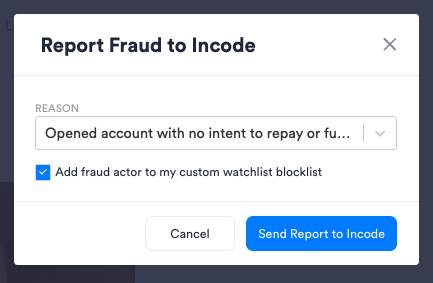
If you have additional insights about this particular user you can navigate to the 'Report Fraud' button on the top right of the session result and click to both contribute this session to Trust Graph along with automatically adding this user to your custom watchlist blocklist. Incode will assess the best next steps of this contribution to educate the network.
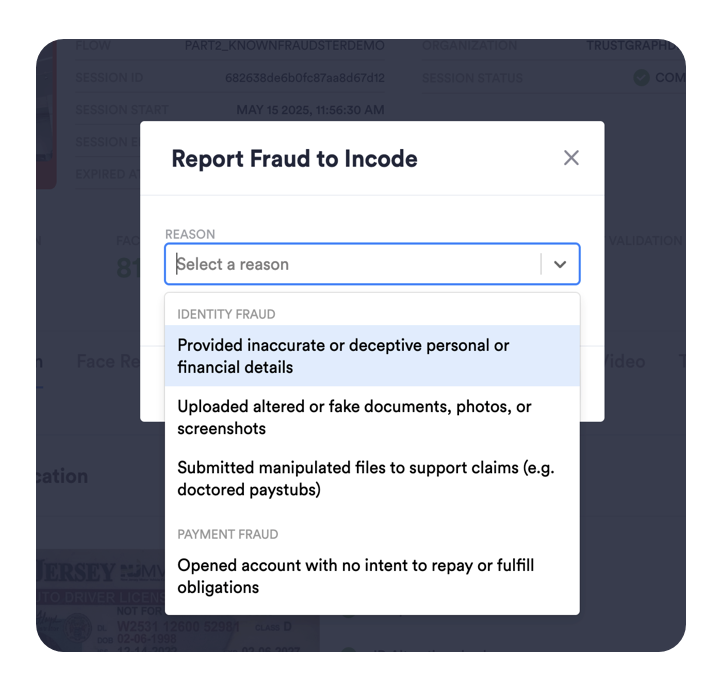
| Reason Category | REASON |
|---|---|
| Identity Fraud | Provided inaccurate or deceptive personal or financial details via form input |
| Uploaded altered or fake documents, photos, or screenshots | |
| Payment Fraud | Opened account with no intent to repay or fulfill obligations |
| Disputed legitimate charges to avoid payment | |
| Abused loan, credit, or early access features | |
| Account Abuse | Created multiple accounts to abuse promotions or referrals |
| Repeatedly created accounts to exploit free trials or limited-time offers | |
| Shared or sold their account to others to bypass rules | |
| Money Laundering & Exploitation | Used real identity to cycle funds or manipulate systems |
| Refund & Chargeback Abuse | Filed false complaints or refund requests to get money back after use |
Once you select the specific reason to contribute fraud, you can also select the ability to automatically add the details of this session to your custom watchlist blocklist. See here:
Direct Report Fraud API Approach
API Authentication
All endpoints require authentication headers to be specified as stated in Incode API Documentation
Report Fraud request
POST /omni/trust-graph/report
This endpoint allows you to contribute reasons to Trust Graph .
{
    "sourceEntityId": "6838aa5895d7ddc1156d2d6b",
    "reason": "DECEPTIVE_PERSONAL_INFO",
    "origin": "REPORTED_BY_CLIENT",
    "comment": "User exhibited unusual behavior during the onboarding process."
}
Response: HTTP status 200
Provisioning
To obtain comprehensive details on the pricing and provisioning of the Trust Graph module, we encourage you to contact our dedicated customer support team. Our experts are on hand to assist you in tailoring our solution precisely to meet your unique requirements, guiding you through the most effective configuration options for your specific use case. This personalized approach ensures that you leverage the full potential of the Trust Graph module, optimizing your workflows for security and compliance. Our team is committed to providing you with the support and insights needed to make informed decisions, ensuring a seamless integration process.