# Ashby
This page covers integrating Incode identity verification into Ashby ATS. You can verify candidates at key stages to reduce fraud and meet compliance requirements.
***
## Candidate Journey
### Key Stages
1. **Application submission**: Candidate applies through Ashby.
2. **eKYC check**: Incode runs the candidate's phone number and email through its electronic Know Your Customer (eKYC) risk engine.
3. **Risk scoring and routing**: Candidates are routed based on their risk score:
- **High risk**: Immediate identity verification through document and selfie capture.
- **Medium risk**: Verification before recruiter and hiring manager interviews.
- **Low risk**: Direct progression to interviews.
4. **Final verification**: Candidate completes a final identity check before the offer.
5. **Results sync**: Identity verification results—including status, risk score, and timestamp—are written back into Ashby, stored on the candidate's profile.
***
## Understand eKYC
eKYC (electronic Know Your Customer) is a digital identity verification process. It was developed for banking and compliance, but it applies equally to hiring.
For Ashby, eKYC:
- Uses candidate data— including email, phone, and IP/device signals—to detect risk.
- Checks for fraud history, synthetic identity patterns, and data mismatches.
- Returns a risk score—low, medium, or high—to guide the level of additional verification needed.
***
## Integration with Ashby Using Tines
This integration uses Tines, a powerful automation platform, to orchestrate the verification flow between Ashby and Incode.
> 📘 Note
>
> A prebuilt Tines story for this integration is coming soon.
### Example Flow
1. **Trigger**: A candidate submits an application in Ashby.
2. **Action**: Tines retrieves candidate data—name, email, and phone—through the Ashby API.
3. **Verification**: Tines sends the candidate an Incode verification link.
4. **Callback**: Incode returns verification results to Tines.
5. **Update**: Tines pushes the results back into Ashby.
***
## Step Up the Ashby Integration
### Prerequisites
- An Ashby ATS account with API access
- An Incode developer account
- A Tines workspace for automation orchestration
### Configure Ashby Webhooks
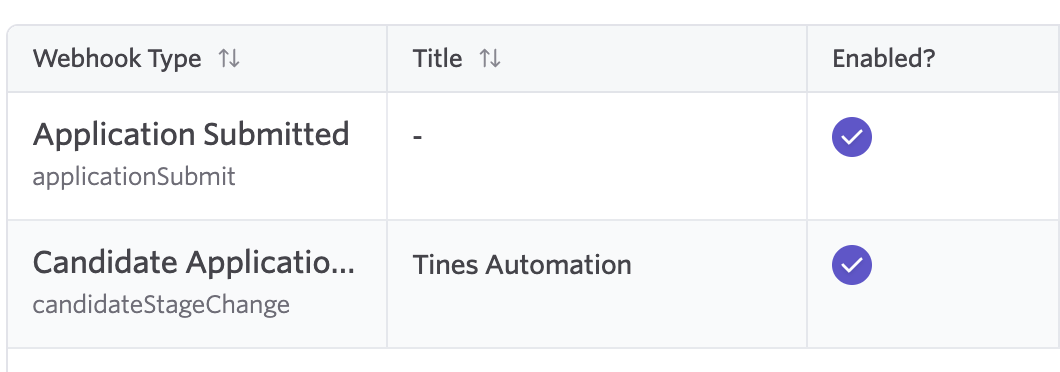
Set up a webhook in Ashby to trigger when a candidate is created or changes stage. Go to **Admin** > **Integrations** > **Webhooks** and configure the following:
- **Event**: `Application Submitted` and `Candidate Application Changed Stage`.
- **Payload**: Candidate details, including name, email, and phone.
- **Destination**: Your Tines webhook URL.
### Configure Custom Candidate Fields
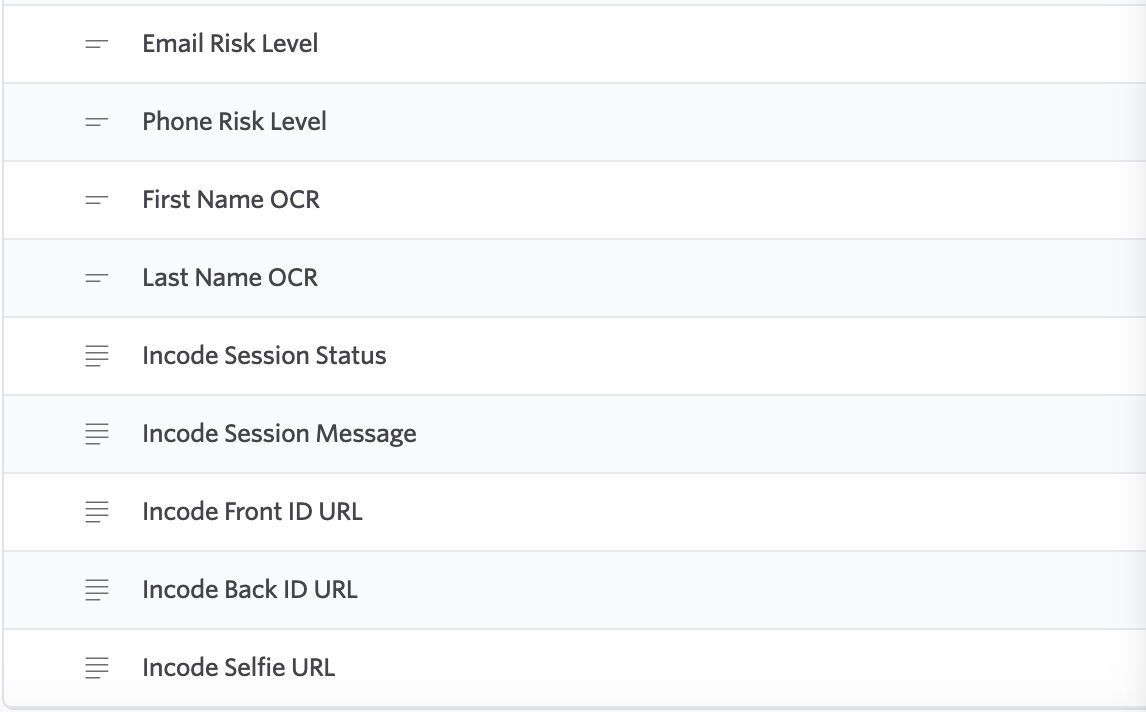
In Ashby, go to **Admin** > **Organization Setup** > **Custom Fields**. Under **Candidate**, create custom fields for the following Incode results:
- Phone Risk Score \[Incode]
- Email Risk Score \[Incode]
- First Name \[Incode]
- Last Name \[Incode]
- Verification Result \[Incode]
- Selfie Image \[Incode]
### Built Tines Story
Import the Tines example story and do the following:
- Update credentials for your Ashby and Incode APIs.
- Add routing logic based on eKYC risk scoring.
### Connect to the Incode API
Use the Incode API to initiate and track identity verification. The following endpoints are available:
- `POST /ekyc/check`: Starts risk screening
- `POST /identity/verify`: Sends a document and selfie verification link
- `GET /identity/status/{id}`: Retrieves real-time verification results.
### Sync Results to Ashby
Use the Ashby API to push results, including custom fields such as `Verification Status` and `Risk Score`, back into candidate profiles. You can also configure Ashby automation rules to advance or hold candidates based on verification results.
***
## Example Use Cases
- **High-volume recruiting**: Automatically filter out fraudulent applications at scale.
- **Sensitive roles**: Enforce mandatory verification before final interviews.
- **Global compliance**: Meet KYC/AML requirements in hiring.
***
## What's Next
- Map your Ashby hiring stages to the verification checkpoints above.
- Import and adapt the Tines story (or other SOAR tool of choice) to Ashby.
- Test with sample candidates before rolling out to recruiters.