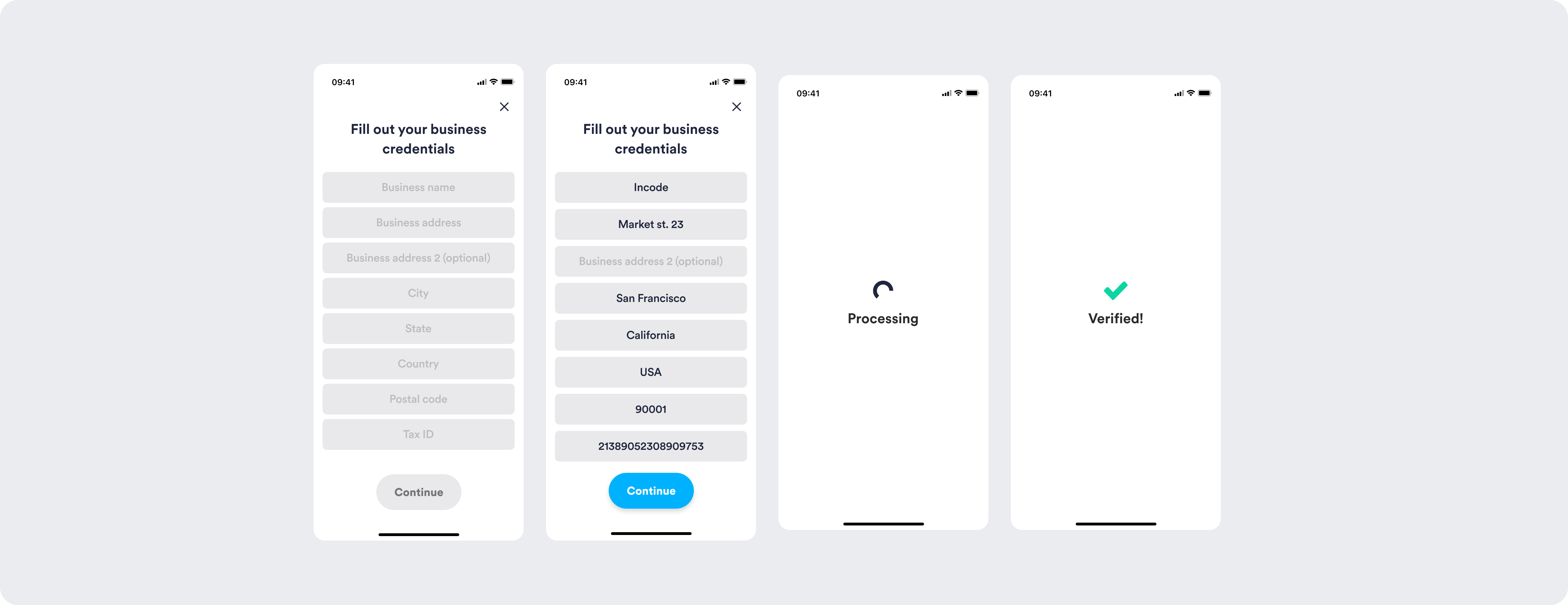
In V1, eKYB Verification presents a functional but generic credentials form experience. The screen focuses on collecting user information user information with standard input fields and minimal contextual structure. Processing and success state are simple and isolated, with little continuity between steps. The experience feels transactional, with basic feedback once the form is submitted.
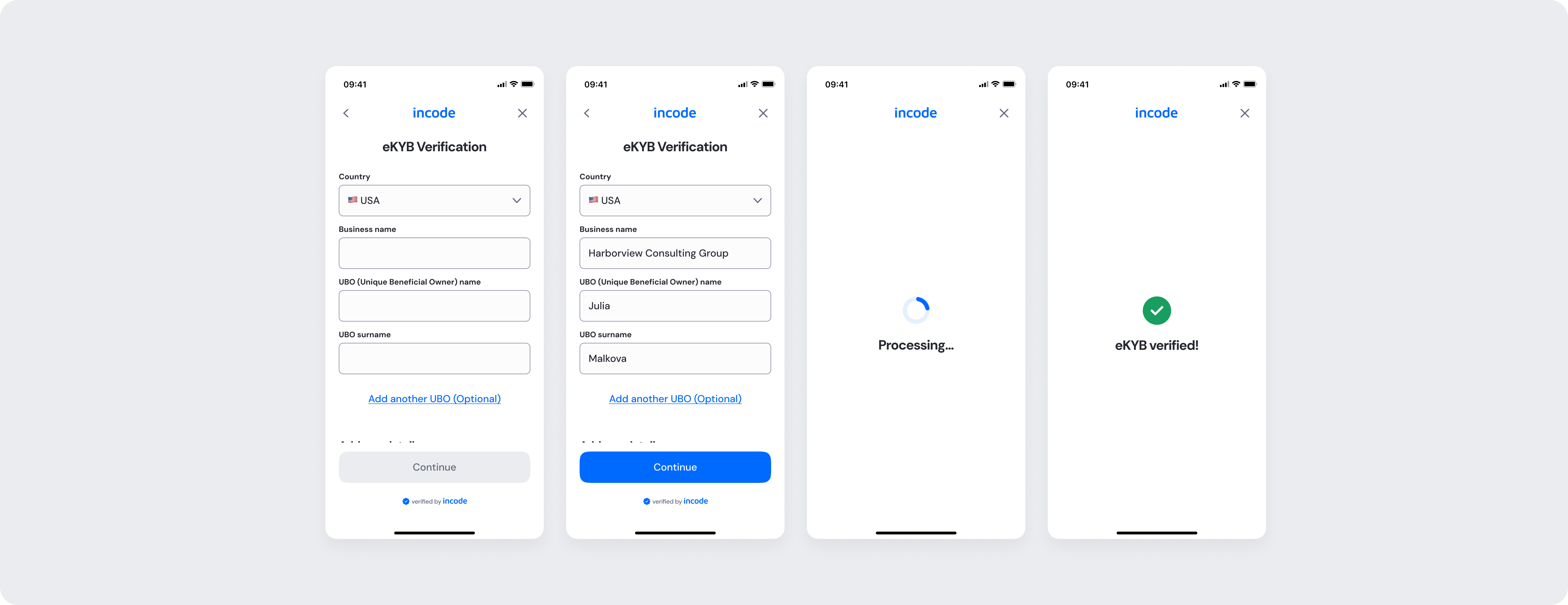
In V2, eKYB Verification introduces a more structured, branded and guided experience. The interface is organized into clear sections, improving readability and reducing cognitive load. Processing and success states feel more cohesive with smoother visual transitions and clearer confirmation messaging making the flow feel complete and intentional.
Feature Comparison
Functional capabilities of the module (objective features only; no UX or performance differences).
| Capabilities | V1 | V2 | Notes |
|---|---|---|---|
| eKYB data collection | ✅ | ✅ | Core eKYB data capture supported in both versions. |
| Inline validation | ✅ | ✅ | Field-level validation during input available in both versions. |
| Error States | ✅ | ✅ | Both versions cover general error cases that users can encounter. |
| Customization options | ❌ | ✅ | V1 provides limited customization options, while V2 allows full control over text, colors, buttons, illustrations, and behavior. |
| Documentation completeness | ❌ | ✅ | V2 provides complete, standardized documentation coverage. |
Behavior Differences
How the module behaves during runtime.
| Behavior | V1 | V2 | Notes |
|---|---|---|---|
| Feedback presentation | Brief contextual instructions | Clear, actionable feedback for a successful capture | V2 has updated feedback instructions for users to correct their action faster. |
| State transitions | Default transitions | Specifically designed screen-by-screen transitions for smoothness | V2 includes transition guidelines as part of the module documentation package. |
| Processing behavior | Static processing screen | Branded processing state with consistent loading behavior | V2 aligns loading behavior with the overall system patterns |
Customization Overview
Customization in V2 is significantly simpler and more consistent across modules.
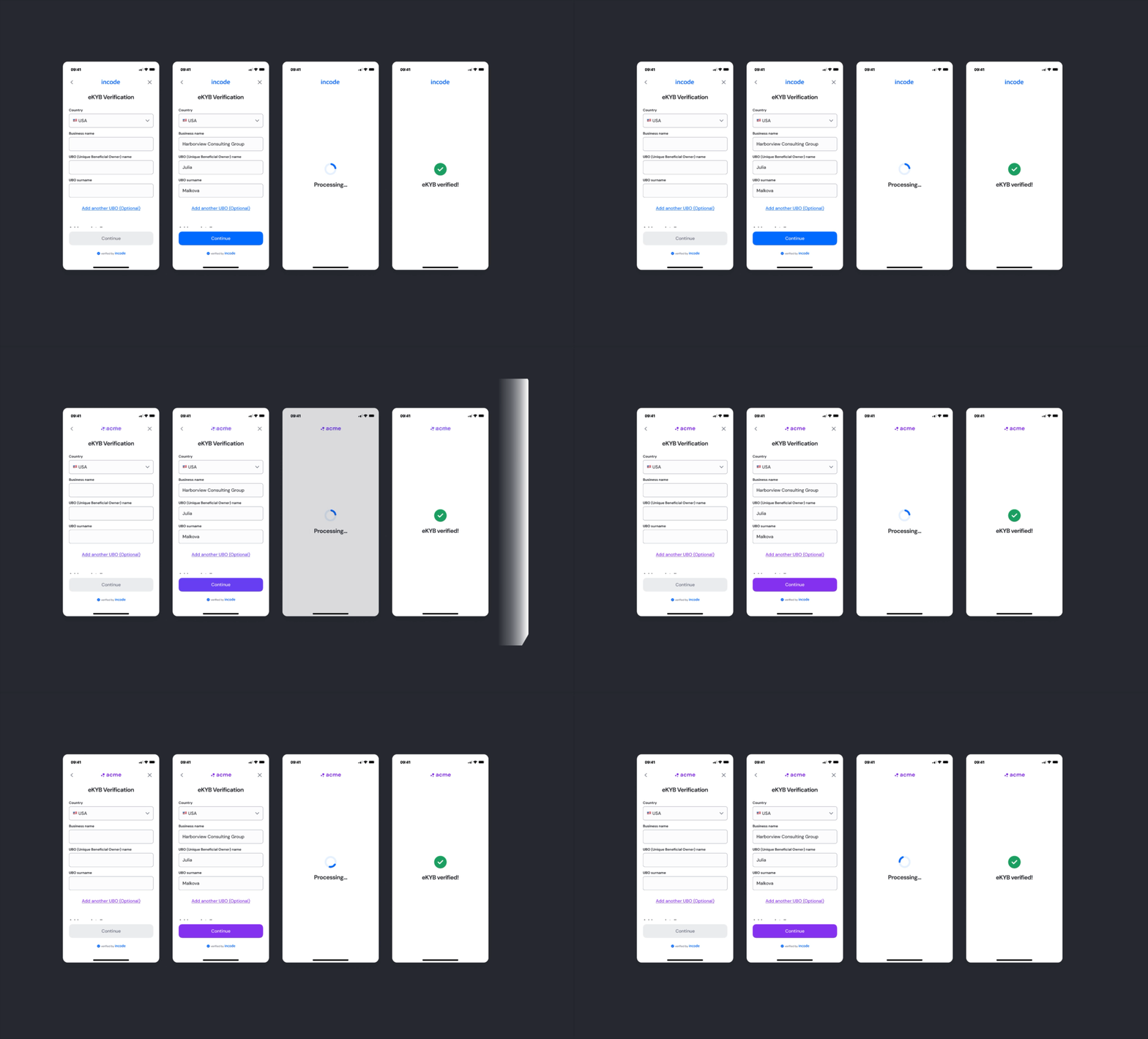
Instead of having isolated configuration options per screen or component, V2 uses a unified token-based system that allows developers to control visuals, behaviors, and experience patterns with fewer parameters and predictable outcomes.
This means:
- Less engineering work to override UI elements
- Consistent branding across modules
- Predictable behavior when changing settings
- Reduced risk of breaking flows
- Clear separation between visual tokens and experience configuration
V2 also centralizes all customization options under a single structure, so developers always know where to look and what they can modify.