NFC Scan allows users to verify their identity by reading the embedded chip in their NFC-enabled passport or identity document. It extracts cryptographically secured identity data directly from the document chip, providing a higher assurance level than optical capture alone.
NFC Scan typically occurs after the document has been captured via OCR and before the final verification result is returned.
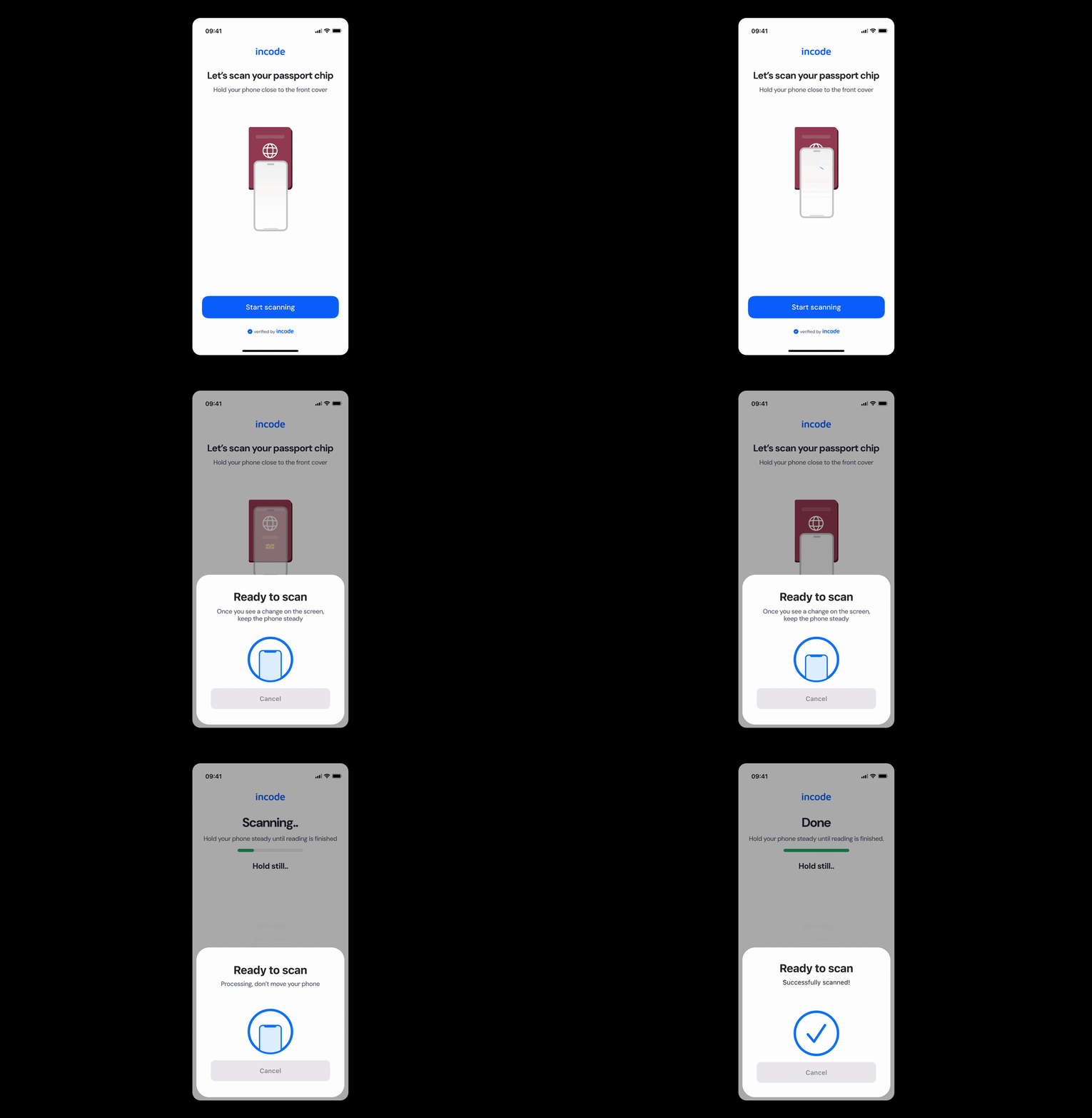
Where it fits in the flow
NFC Scan appears after the initial document capture step, once the system has confirmed the document is NFC-capable. It reads the chip data to cross-validate the information extracted during OCR and strengthen the overall verification result.
Once the user successfully completes the NFC scan, the flow continues to identity confirmation and any downstream verification logic required by the application.
User Flow
The NFC Scan experience moves through several clear stages that guide the user from chip detection to successful read. An optional NFC chip presence screen first confirms whether the user's document supports NFC. The user is then introduced to the process through a tutorial screen explaining how to position their phone. Once the scan begins, the module reads the chip and provides real-time feedback. The user receives a success state or an error message with options to retry before continuing to the next step.
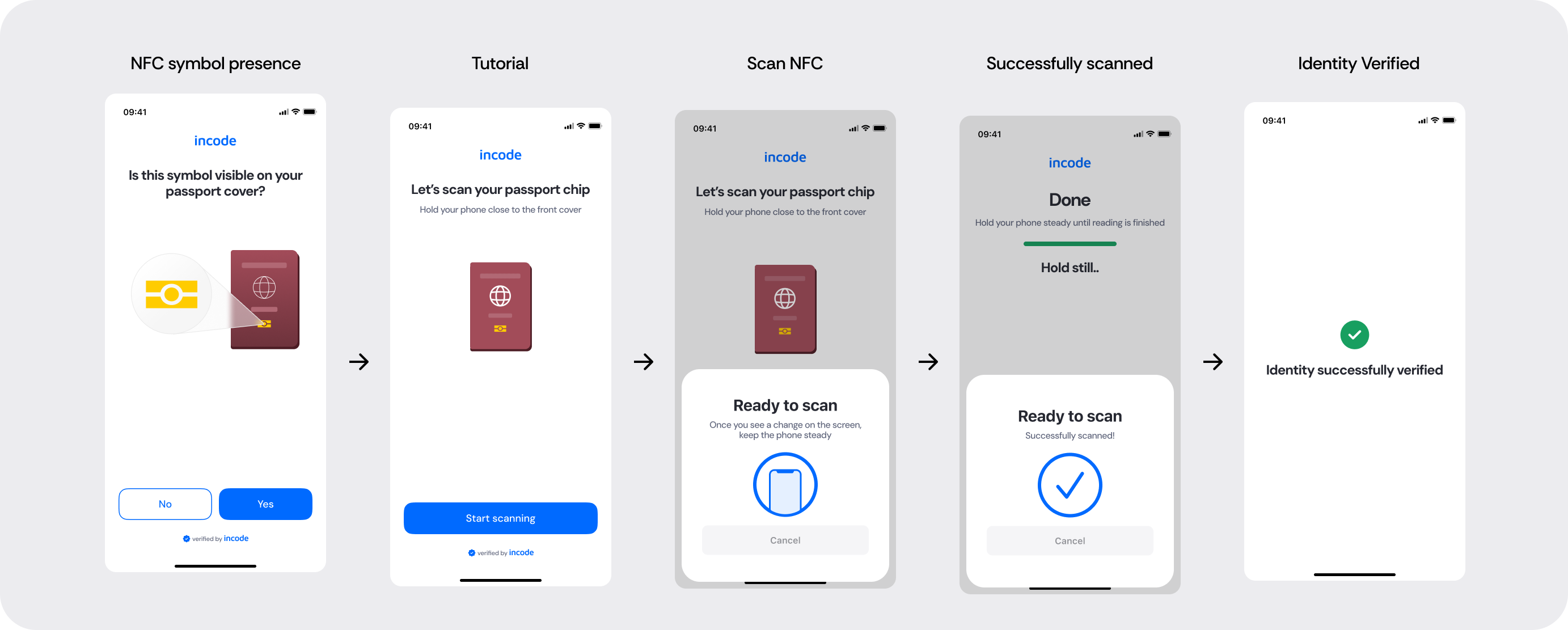
Full Flow Map
This diagram presents the full sequence of screens involved in NFC Scan, from the optional chip presence check and tutorial, to the active scan, success confirmation, and error handling paths including retry logic.
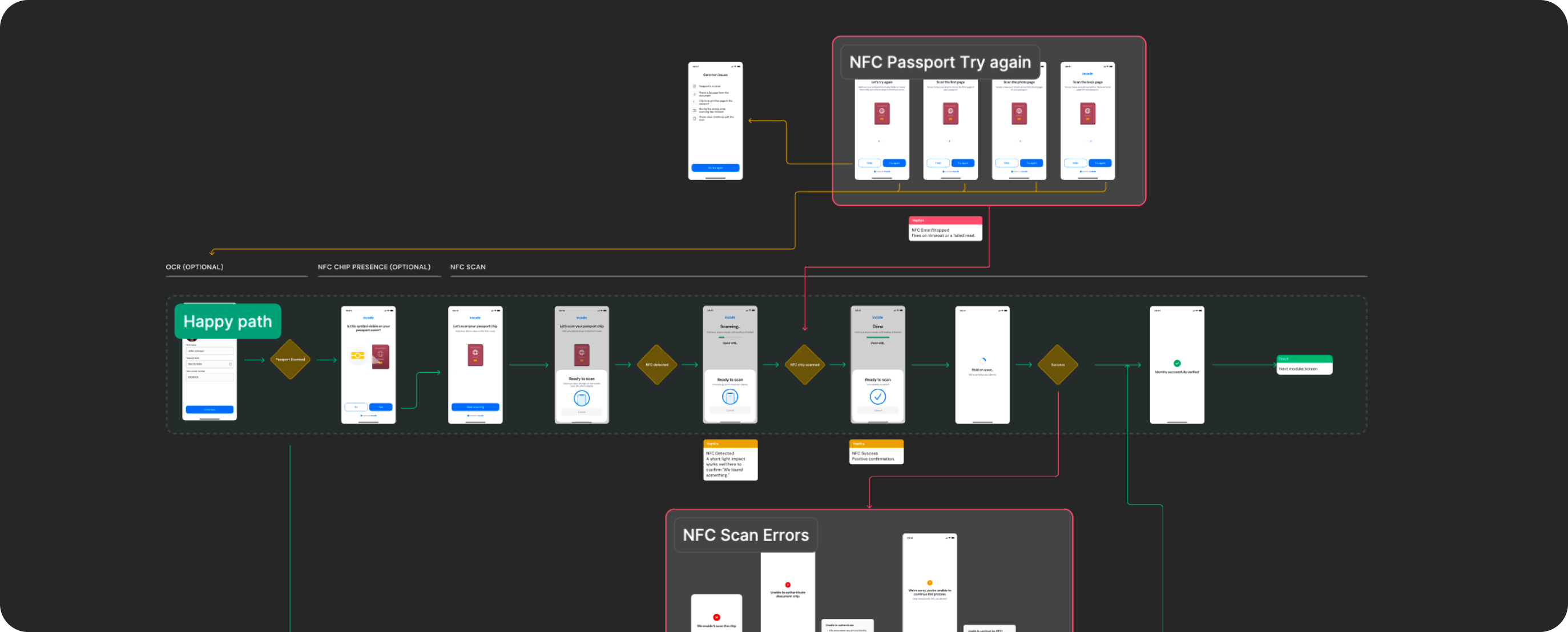
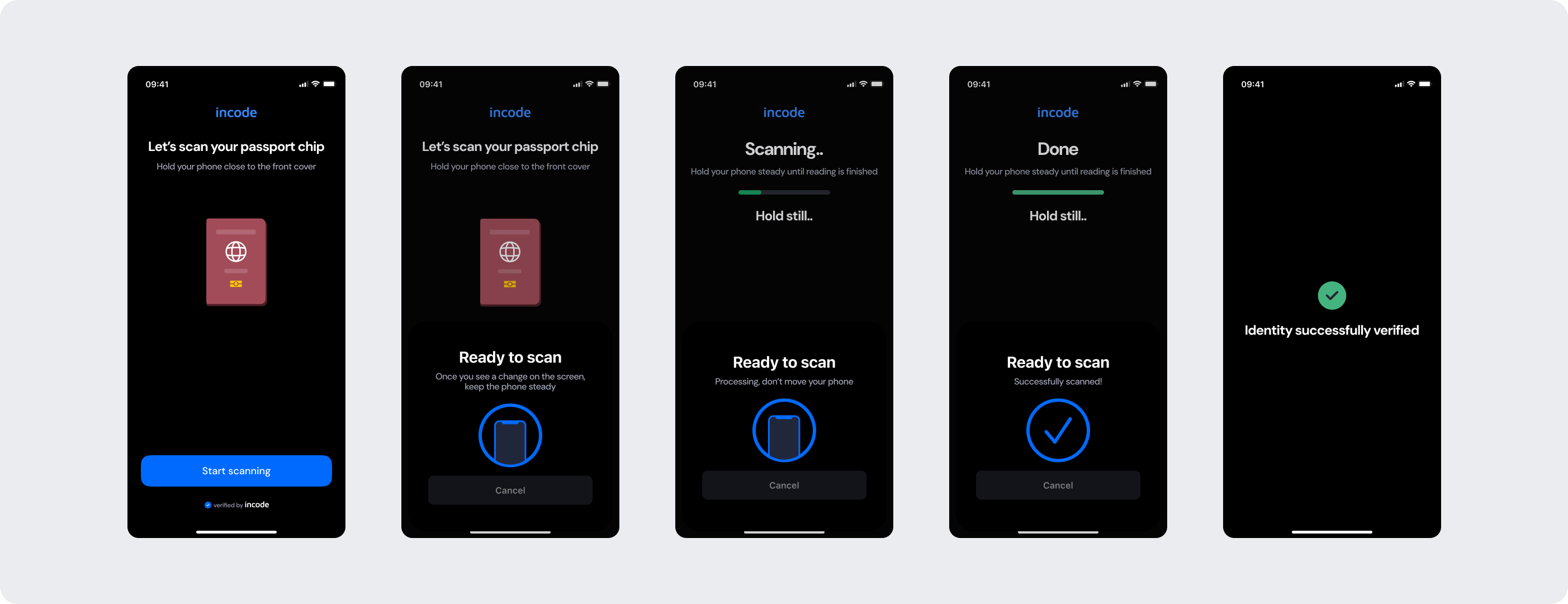
Happy Path (Light & Dark)
The ideal user journey when the NFC chip is detected and read successfully with no interruptions.
The happy path represents the smoothest version of the experience, where the user confirms their document supports NFC, positions their phone as instructed, and the system successfully reads the chip data without requiring retries or corrections. Both light and dark mode previews are included so teams can validate visual consistency across themes.
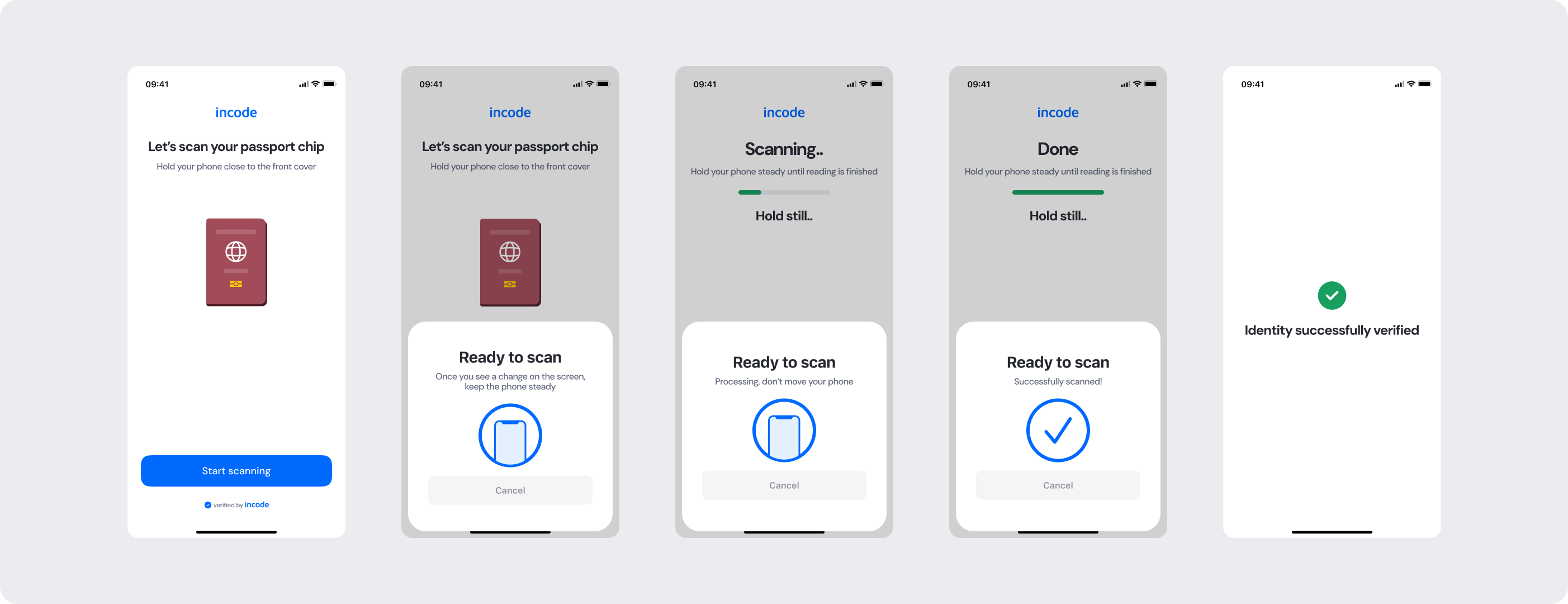
Best Practices
Recommended guidelines for designing and implementing the Upload Digital ID experience.
✅ Do
- Clearly instruct users to hold their phone steady against the front cover of the document throughout the scan
- Show real-time progress feedback so users know the scan is actively running.
- Provide clear error messages with actionable next steps when the chip read fails.
- Always offer a retry option so users can reattempt without restarting the full flow.
❌ Don’t
- Don't proceed with the NFC step if the document has not been confirmed as NFC-capable.
- Don't proceed with the NFC step if the document has not been confirmed as NFC-capable.
- Don't skip or reduce essential error states, including timeout and authentication failure screens.
- Don't remove the "hold still" guidance during active scanning, as movement is the most common cause of scan failure.