# CURP Validation
The CURP Validation module validates a person's CURP (Clave Única de Registro de Población), a personal identification number issued in Mexico, against Mexico's RENAPO registry. It accepts a CURP extracted via OCR, entered manually, or generated from personal data when the user doesn't know it.
For an overview of this module and how it works, see [CURP Validation](https://developer.incode.com/docs/curp-validation).
## Supported with:
:white_check_mark: Workflows | :white_check_mark: Flows
## Add CURP Validation to Workflows
1. In Dashboard, find **Build & Verify** in the left menu. Select **Flow Builder** > **Workflows**.
2. Click **New** or select an existing Workflow.
3. From the Modules list, drag and drop the **CURP Validation** module into the builder.
4. You can click the three dots > **Edit** on the module node to open the [Configuration Options](#configuration-options) panel and adjust settings as needed.
## Add CURP Validation to Flows
1. In Dashboard, find **Build & Verify** in the left menu. Select **Flow Builder** > **Flows**.
2. Click **New** or select an existing Workflow.
3. On the **Select Modules** tab, find the **CURP Validation** module and click **Add**.
4. You can click **Details & Configurations** to open the [Configuration Options](#configuration-options) panel and adjust settings as needed.
## Configuration Options
After making changes, click **Save Configurations** to apply them.
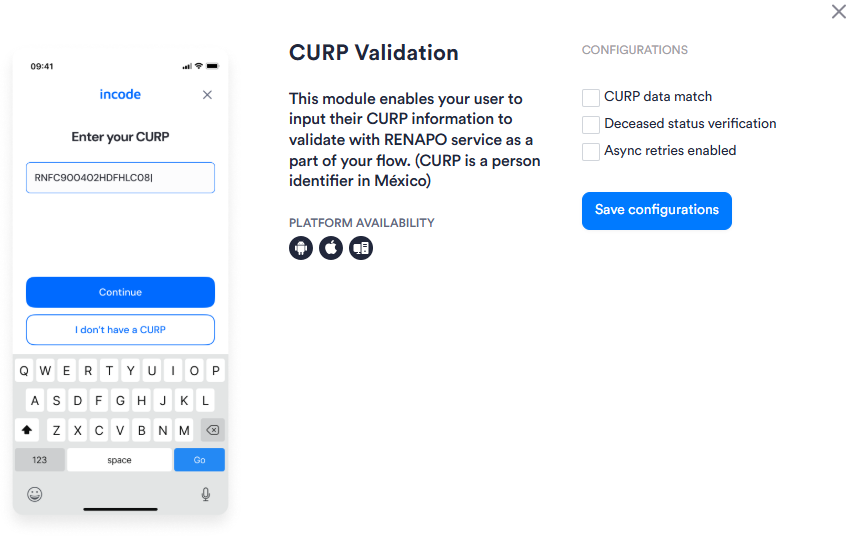
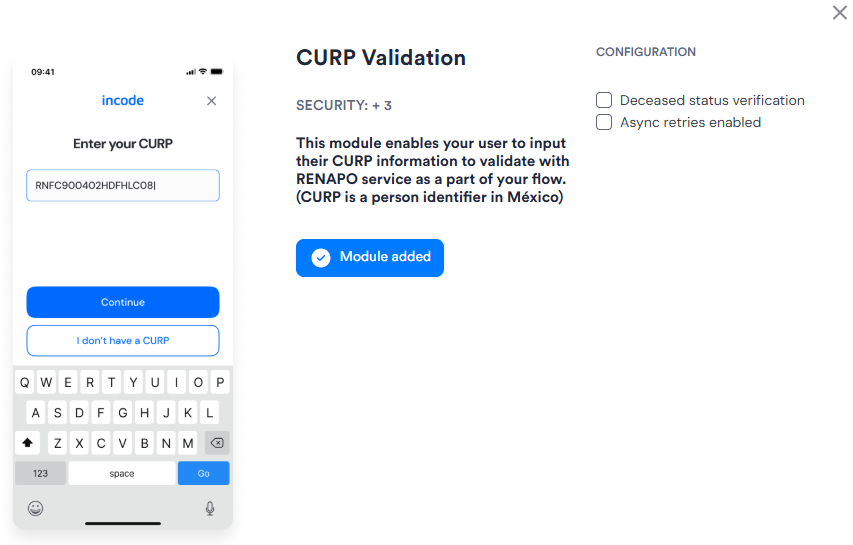
| Setting | Description |
| ------------------------------------------- | -------------------------------------------------------------------------------------------------------------------------------------------------------------------------------------------------------------------------------------------------------------------------------------------- |
| **_CURP data match_**
_Workflows only_ | When enabled, validates that the CURP data returned by RENAPO matches the personal data captured earlier in the Session (for example, name and birthdate from ID Capture). |
| **_Deceased status verification_** | When enabled, the module checks the RENAPO response for a deceased status and treats a deceased result as a validation failure. |
| **_Async retries enabled_** | When enabled, activates asynchronous retry logic if the provider call fails or times out, improving reliability when the primary provider is unavailable. {/* TODO: Confirm with PM — confirm whether async retries apply to the fallback provider only, or to both primary and fallback */} |